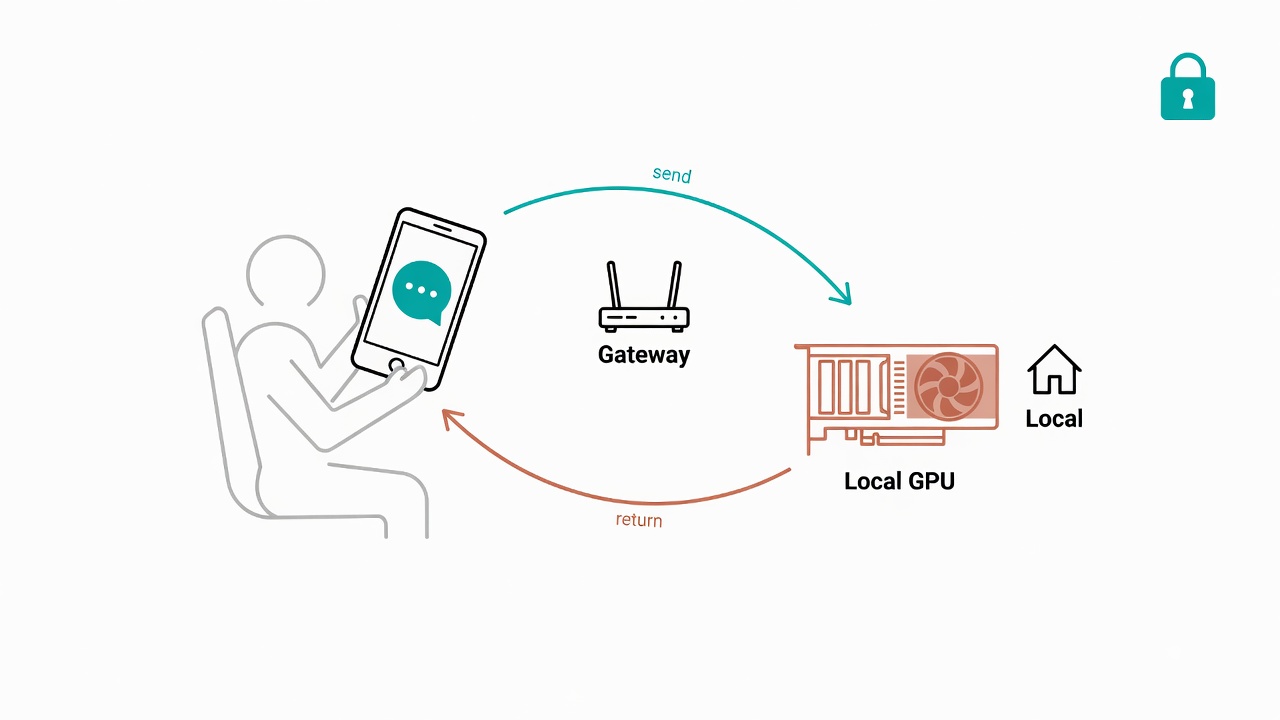
You want an AI agent on your company's LINE Official Account, but the OpenAI API burns through thousands of dollars a month? Or you care that every customer conversation is sent to a third-party server? This article records how I used one RTX 4060 Ti and a company Windows host to build, from scratch, a LINE customer service bot that runs entirely on local infrastructure. Because I walked every step myself, I wrote down all six pitfalls I hit along the way. Each one is a lesson paid for with real time.
Why Use a Local LLM for LINE Customer Service?
I will start with the conclusion: when cost, privacy, and autonomy all matter at the same time, local deployment is the best answer.
On cost, cloud APIs bill by token. A few hundred customer service conversations a day makes the invoice hard to ignore. Running the model locally is the opposite: hardware is a one-time investment, so the marginal cost after that approaches zero.
On privacy, customer service chats involve personal data, product inquiries, and sometimes health-related information. Because local deployment keeps data entirely inside the company network, compliance pressure drops a lot.
On autonomy, you can swap models, fine-tune them, and rewrite the system prompt however you want without asking any platform for permission. And because both the data and the model sit in your own hands, you can start product-specific fine-tuning whenever you are ready.
Once those three points are clear, the next step is how to put the architecture together.
Hardware and Architecture Overview
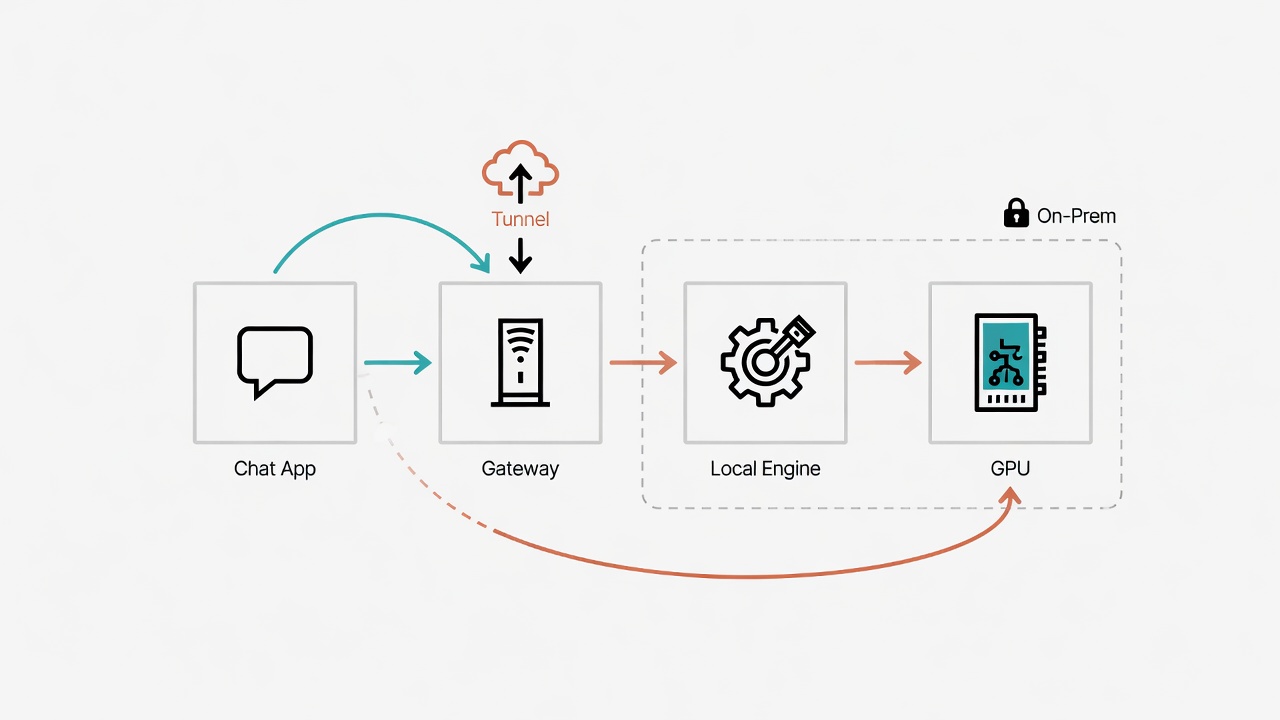
The system architecture is not complicated. Four components wired together are enough:
- LINE Messaging API: receives user messages and sends replies.
- Hermes Gateway: the middle-layer gateway that turns messages from the LINE Webhook into a format the LLM can consume, then sends replies back to LINE. It runs on port 8646 and is exposed outward through Cloudflare Tunnel.
- Ollama: the local LLM inference engine, running at
127.0.0.1:11434. - RTX 4060 Ti 16GB: the GPU that actually carries the inference load.
The machine is a Windows host on the company LAN with 32 GB of RAM, managed from outside via Cloudflare Access SSH. Because Hermes is set to auto-start on boot through Windows Task Scheduler, nobody needs to sit in front of that computer.
The strength of this architecture is that every layer can be swapped independently. Components talk only through standard interfaces, so changing the model means changing Ollama's model name, changing the messaging platform means using one of Hermes's multi-platform adapters, and changing the GPU is left to Ollama's automatic detection.
Model Selection: Why Qwen3.5 9B?
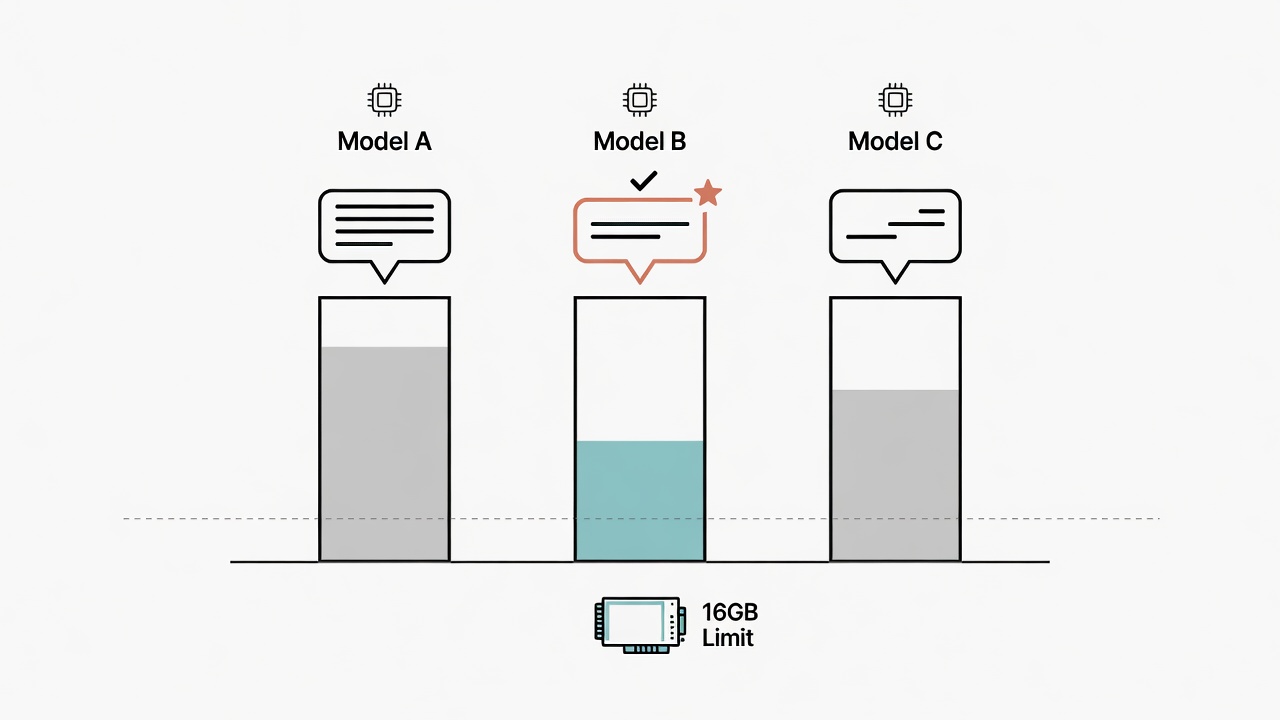
Choosing the model is the most critical decision in the whole project. My filters were clear:
- It has to fit in VRAM: the RTX 4060 Ti has 16 GB; after system overhead, the model should stay under 8 GB if possible.
- Traditional Chinese has to be strong enough: this is customer service for the Taiwan market, and reply quality directly shapes brand image.
- It must support fine-tuning: short term we lean on the system prompt; medium to long term we need SFT, so the license has to be open.
I settled on Qwen3.5 9B. After Q4_K_M quantization it only uses 6.6 GB of VRAM, so inference has plenty of headroom. Multilingual coverage is broad; the full list is on the official model card. From what I have actually run, the Qwen family sits among the strongest open-source models for Traditional Chinese. The license is Apache 2.0, Unsloth SFT support is complete, and future fine-tuning is unrestricted. On the public same-size open-source rankings I checked, it lands in the top tier, and overall performance is solid.
Pulling the model is a single line:
ollama pull qwen3.5:9b
Picking the right model is only the start. The real challenge is the six pitfalls that follow.
Six Production Pitfalls, Documented
Pitfall 1: Gemma4's Template Silently Drops the System Prompt
At first I actually tried Gemma4. The model ran, the LINE bot replied, but the tone and content of every reply were completely wrong. I had set a system prompt like "you are Cellergy's official customer service assistant," yet the replies sounded like a generic assistant that knew nothing.
After a long dig I found that Ollama's default Gemma4 Modelfile template only has {{ .Prompt }}. There is no {{ .System }} variable at all. In other words, you can set a system prompt and the model never sees it. Because it never throws an error and only silently discards your settings, this one is especially dangerous.
The fix is to build a custom model and put {{ .System }} back into the Modelfile template. Later I switched to Qwen3.5 and the problem disappeared on its own. The lesson remains: before any model goes live, the first thing to confirm is whether the Modelfile template includes {{ .System }}.
Pitfall 2: A Chinese System Prompt Gets Wiped by an ASCII Filter
After switching to Qwen3.5, I naturally wrote the system prompt in Chinese. The LINE bot still had no persona at all, as if it were running naked.
The root cause this time was more hidden. Under Windows, when Hermes hits a cp950 encoding error it triggers an internal encoding safety path (something like _strip_non_ascii()) that strips every non-ASCII character from the system prompt. Because Chinese is entirely non-ASCII, your carefully written persona block becomes an empty string before it ever reaches the model.
The fix was surprisingly simple: write the entire system prompt in English. Language rules can still be described in English ("Reply ONLY in Taiwan Traditional Chinese"), and the model will still answer correctly in Traditional Chinese. The root cause sits in Windows cp950 encoding, so Linux and macOS do not hit this issue.
Pitfall 3: Qwen3.5 Thinking Mode Makes Replies Too Slow to Use
Once the persona problem was fixed, reply content was finally correct. Then a new problem showed up: every reply took 3 to 4 minutes. A customer service bot that waits three minutes before answering loses the user long before that.
The cause is that Qwen3.5 enables deep-reasoning thinking mode by default, and each reply first runs a long chain-of-thought. I tried adding PARAMETER think false to the Modelfile; Ollama returned unknown parameter and ignored the setting.
The fix I eventually found was to prefill an empty think block inside the template:
<|im_start|>assistant
<think>

</think>
Because the model sees a think block that is already "finished," it skips reasoning and emits the reply directly. The effect was dramatic: response time dropped from 3 to 4 minutes down to 9 to 11 seconds, and no <think> tokens leaked into the output.
Pitfall 4: The "Still thinking" Card Would Not Turn Off
After response latency settled around 10 seconds, Hermes still had one annoying behavior. When it detects that the model response exceeds a threshold, it automatically sends a "Still thinking..." card to the user. Even though things were already fast, that card still popped up from time to time.
I set slow_response_threshold: 0 under platforms.line in config.yaml, hoping a zero threshold would disable it. It had no effect.
Reading the Hermes source showed that the platform config object only has fixed fields such as enabled and token. Any other parameter has to live inside the nested extra dict, or the LINE adapter never sees it. The correct form is:
platforms:
  line:
    extra:
      slow_response_threshold: 0
One extra level of nesting makes all the difference.
Pitfall 5: Replies Mixed in Simplified Chinese Characters
After the functional pieces were done, I started quality checks and found that replies occasionally mixed in Simplified Chinese forms such as the mainland spellings for "may I ask" and "what." For a brand-facing Taiwan consumer audience, that is unacceptable.
Because Qwen3.5's training data includes a large amount of Simplified Chinese, the model will mix scripts if the system prompt does not stress the rule hard enough. The fix is to write the language rules in a very firm tone inside the system prompt:
LANGUAGE RULES (MANDATORY):
- Reply ONLY in Taiwan Traditional Chinese (zh-TW). This is non-negotiable.
- Use ONLY Traditional Chinese characters, not Simplified Chinese.
- Simplified Chinese is strictly forbidden.
After that, every reply I inspected by eye was correct Taiwan Traditional Chinese.
Pitfall 6: The Brand Name "Cellergy" Got "Translated" on Its Own
The last pitfall is almost funny, but it is also lethal. The model turned "Cellergy" into a Chinese paraphrase that treated the trademark as ordinary English vocabulary to be translated.
The fix is the same pattern: ban it explicitly in the system prompt:
Cellergy is a registered trademark - NEVER translate or paraphrase it into Chinese.
Always write the brand name as Cellergy in English.
icNAD+ is a product name - always keep it as icNAD+, never translate it.
LLMs default to "helpfully" translating every foreign word. You have to tell them, in plain terms, which words must not move.
Final Configuration and Results
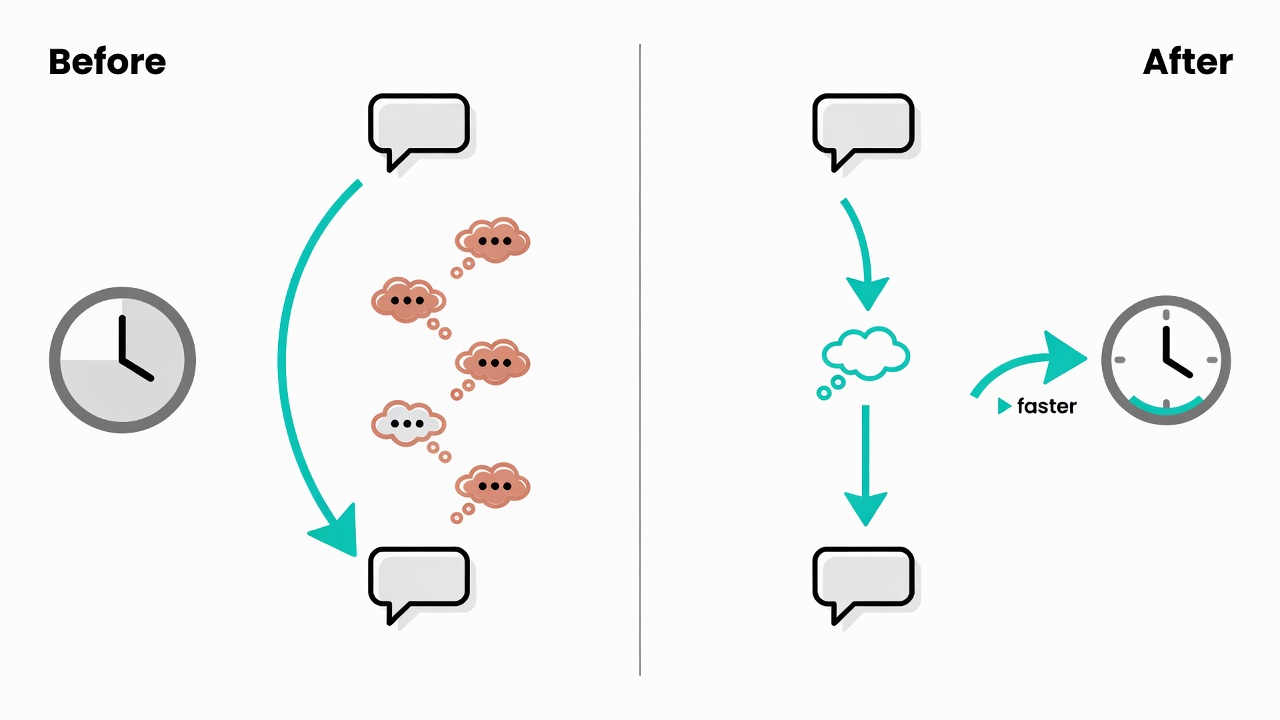
After six rounds of debugging, the production configuration collapses to a few lines: Ollama runs Qwen3.5 9B with an empty think-block prefill in the template; Hermes points at local Ollama; the system prompt is written entirely in English (model replies remain Traditional Chinese); LINE's slow response threshold is set to 0 through extra. After the config files are updated, sync them to the Windows host and restart Hermes.
Live performance numbers:
| Metric | Value |
|---|---|
| Response time (Ollama API direct) | 9-11 seconds |
| Response time (LINE end to end) | about 15-20 seconds |
| Traditional Chinese accuracy | 100% by visual check |
| Brand name retention | Cellergy / icNAD+ never translated |
| Thinking token leakage | none |
Five Hard Rules
Looking back over the full deployment, I distilled five hard rules. On similar projects later, you can check them directly:
- The Ollama template is the first line of defense. When the system prompt seems to do nothing, first check whether the Modelfile includes
{{ .System }}. - On Windows, write the system prompt in English. The cp950 encoding traps are deeper than you expect. Writing the prompt in English and having the model reply in Traditional Chinese is the most stable approach.
- You cannot turn off Qwen3.5 thinking with PARAMETER. You can only prefill an empty think block in the template, or wait for Ollama to support
think: falseofficially. - Hermes platform settings belong in the extra dict. Top-level fields are only the fixed few; everything else has to be nested.
- Brand names must be listed explicitly in the system prompt and banned from translation. The LLM will helpfully paraphrase trademarks unless you tell it not to.
Next Steps
The current customer service bot holds basic reply quality with the system prompt alone, but over the long run a general model only goes so deep on specific products. The next article (T15) will cover how to run supervised fine-tuning on Qwen3.5 with QLoRA on the same RTX 4060 Ti, so the model actually learns professional knowledge about the icNAD+ product line. Stay tuned.