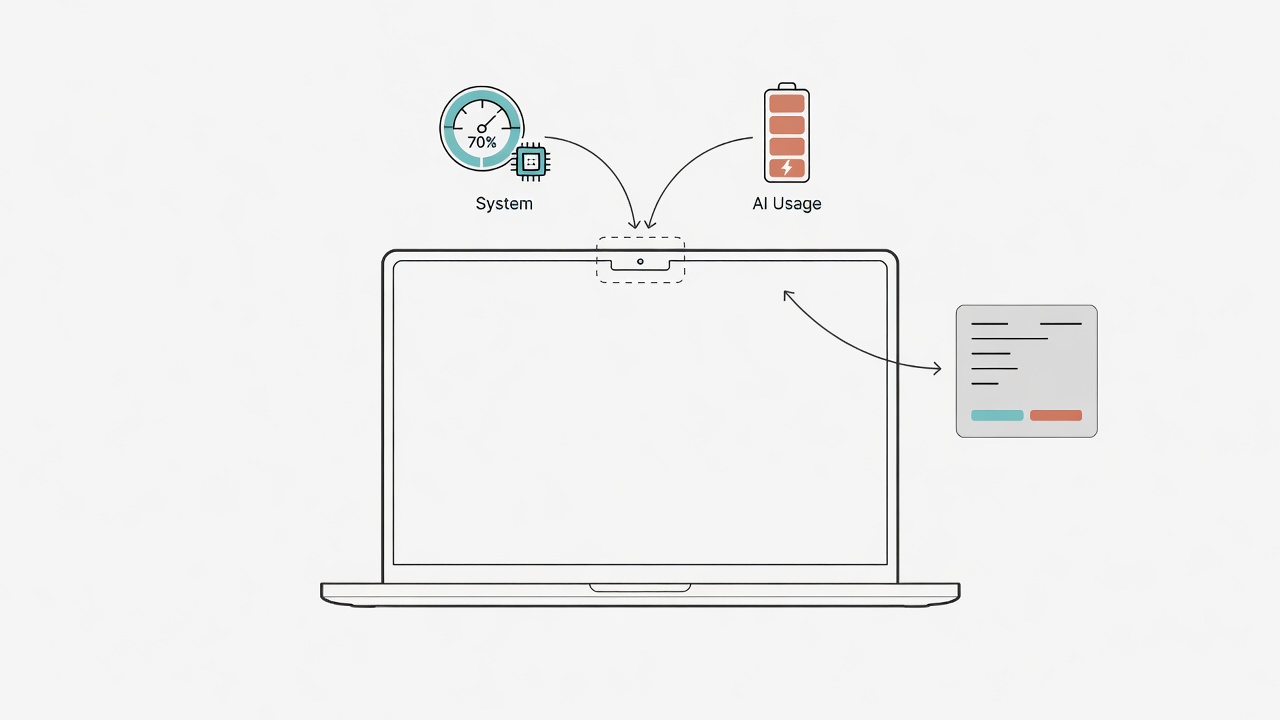
If you live in Claude, Codex, Copilot, or Grok all day, the MacBook notch is usually just a black pill. I built a small app that turns it into a live, expandable dashboard: system health on one side, AI coding-provider quotas on the other.
It’s open source under the MIT license:
https://github.com/cyhsieh817/VoidNotch
Two interruptions
When you research or ship code, two things keep stealing focus:
- The machine stutters (CPU pegged, disk full, or memory pressure) and you context-switch into Activity Monitor.
- AI limits are opaque: each provider has its own windows and resets; you only notice when a run dies mid-task.
VoidNotch keeps both near the notch: a dense compact strip, click to expand. Menu-bar resident, no Dock icon required.
What’s included
System monitoring
- CPU, memory, disk capacity + I/O, network up/down
- Battery (laptops), health score, top processes
- Temperature / GPU util are best-effort (
-when unavailable; never fake 0%) - Toggle which metrics appear in Settings
AI usage
- Local CLI / session snapshots via CodexBarCore
- Wired providers include Claude, Codex, Copilot, Gemini (Agy), Grok, and more
- Unsupported providers are labeled unsupported, not zero usage
UI
- Compact: pick content per side, width and height
- Expanded: System / Model Usage / Agent Activity
- Languages: Traditional Chinese and English
- Left-click expands; right-click opens Settings
Everything is local. No VoidNotch account; no usage telemetry server of ours.
Install
macOS 14+ and full Xcode (not Command Line Tools only; DynamicNotchKit needs SwiftUI macros).
git clone https://github.com/cyhsieh817/VoidNotch.git
cd VoidNotch
./scripts/make_app.sh --run
Install into Applications:
./scripts/make_app.sh --install
Log into your provider CLIs first (claude, codex, grok login, …), then use Refresh Token Usage from the menu bar if quotas look empty.
swift test
swift run vn-selftest
swift run vn-probe 5
How this fits Lab Grimoire
Lab Grimoire is mostly browser tools for stats and lab workflows.
VoidNotch is the desktop companion for people who run AI coding agents all day.
Same bias: open source, local-first. Issues and PRs welcome on GitHub.
Summary
- MIT: build and use freely
- Notch / menu bar: system + AI quotas
- Configurable metrics and compact layout
- See
LICENSEandTHIRD-PARTY-NOTICES.mdin the repo
If your Mac is a shared desk for experiments, papers, and agents, give it a try, and file an issue when something’s off.