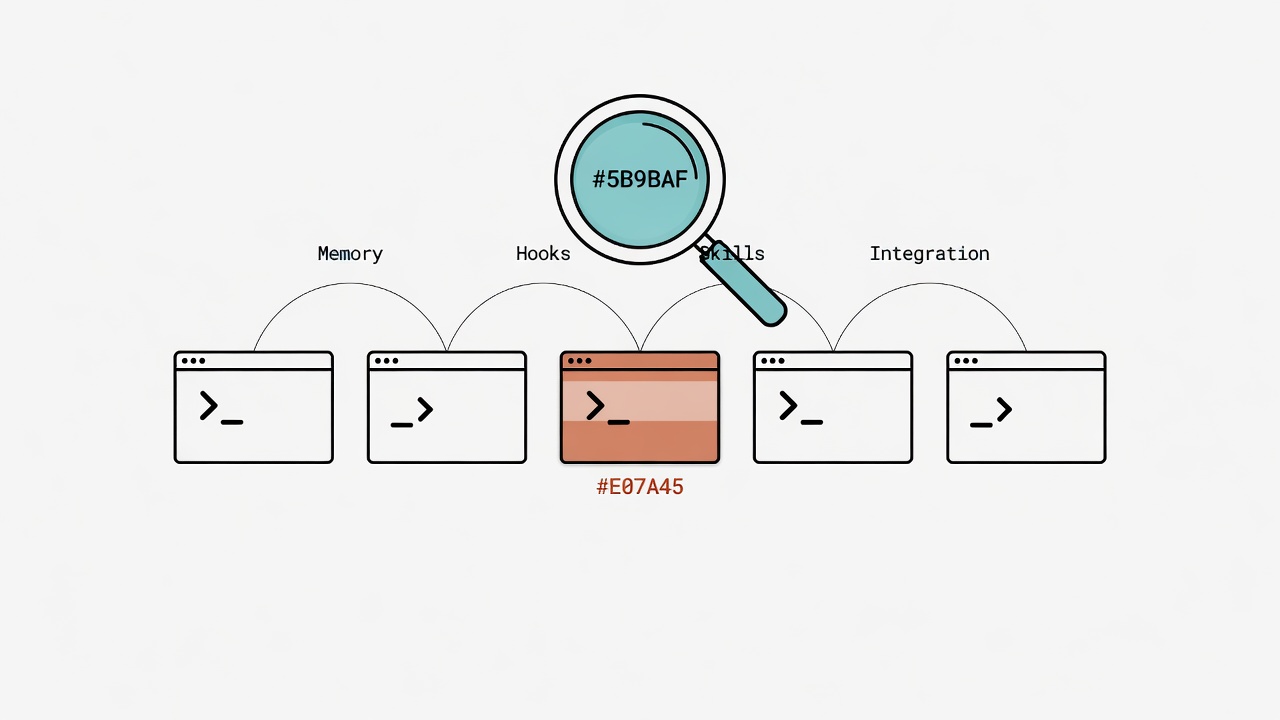
Five tools, one question: which one can go the distance with you?
The core gap between five AI Agent tools comes down to four dimensions: memory, Hooks, routing, and integration.
Ever wonder why your AI tool seems to reset its brain every time you start it up? According to an early-2026 developer survey, over 72% of people have two or more AI coding tools installed, yet fewer than 15% feel they're actually "using the right one." Think about it. Like standing in front of five keys and not knowing which one opens your lock. Claude Code, Copilot CLI, Antigravity CLI (agy), Cursor, Aider. Every one of them claims to "boost productivity." Fine. But "answer one question at a time" and "build a system with memory, rules, and automation" are completely different things. Measured by that standard, the gaps are huge.
An AI Agent toolbox is a set of AI tools that collaborate with developers inside a terminal or editor. Choosing a toolbox is like picking mountaineering gear: it's not about who has the fanciest backpack. It's about four core capabilities: a brain that remembers past conversations (memory persistence), a gatekeeper (Hook extensibility), auto-navigation (Skill routing), and a universal remote (cross-platform integration). These four determine whether a tool can graduate from "one-shot Q&A machine" to "long-term collaboration partner."
Let me state my biases and limitations upfront. Over the past six months my daily drivers have been Claude Code and Copilot CLI. I've also run Antigravity / Gemini CLI for real work. Cursor and Aider? Not long-term users. My assessment relies mainly on official docs and community feedback, which has its limits. My use cases span code development, literature management, document writing, and statistical analysis. I have heavy requirements for "memory" and "workflow automation," which definitely colors my rankings. Your scenario is different, so your conclusions might be too.
What's Being Compared and Version Context
5 tools spanning CLI Agent, IDE integration, and open-source across different pricing models.
| Tool | Type | Primary Model | Pricing |
|---|---|---|---|
| Claude Code | CLI Agent | Claude Sonnet/Opus | Subscription (included with Claude Pro/Max) |
| GitHub Copilot CLI | CLI completion + chat | GPT-4o / Claude | GitHub Copilot subscription |
| Antigravity CLI (agy) | CLI Agent | Gemini 2.5 Pro/Flash | Free tier + paid |
| Cursor | IDE integration | Multi-model switching | Subscription |
| Aider | CLI Agent (open source) | Multi-model support | Bring your own API Key |
Antigravity CLI is Google's AI developer platform CLI launched in 2025, building on the Gemini CLI configuration base with expanded capabilities.
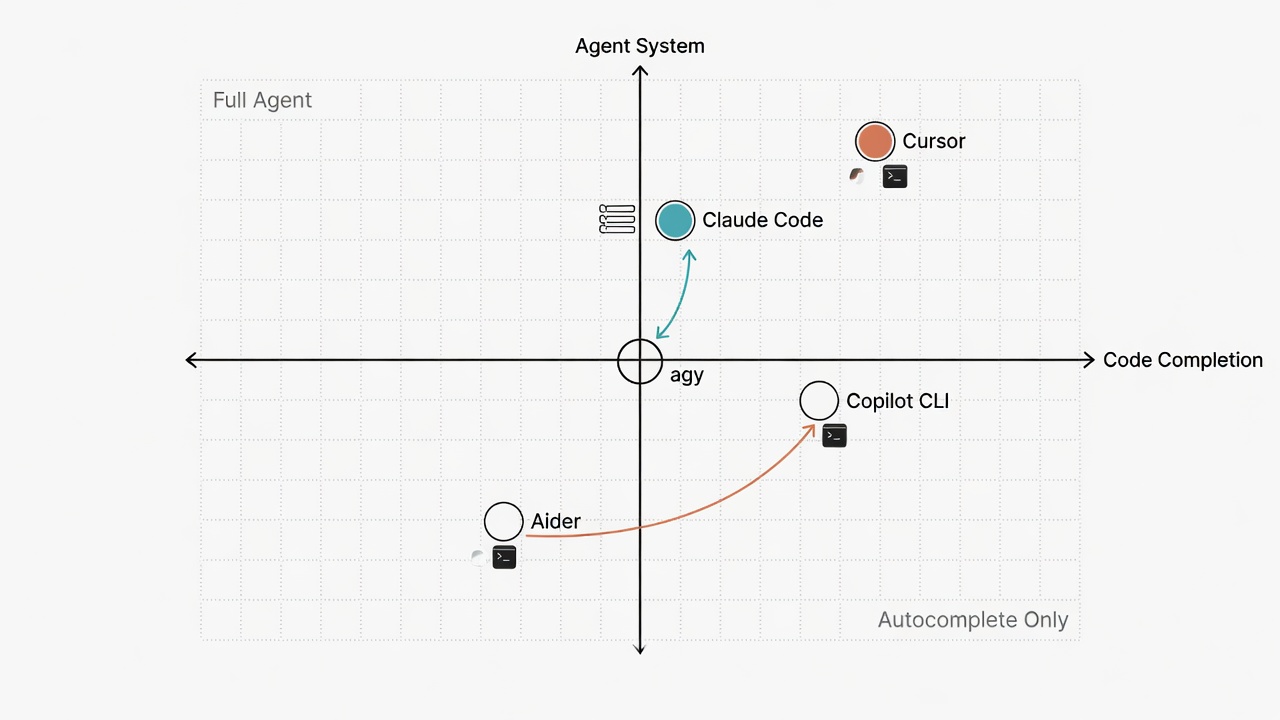
Core Dimensions: Side-by-Side Comparison
The results across four dimensions determine whether a tool is a one-shot Q&A machine or a long-term collaboration partner.
Dimension 1: A Brain That Remembers Past Conversations
This is the sharpest differentiator. Imagine walking into the office every day and your assistant has forgotten who you are. You have to re-introduce yourself starting from your name. Seriously. Whether a tool can remember context across sessions determines if the AI is a goldfish that gets its memory wiped daily, or a long-term partner that remembers the pitfall you hit last year.
| Tool | Persistent Memory | Memory Mechanism | Cross-session |
|---|---|---|---|
| Claude Code | Native support | CLAUDE.md + memory files + auto-summary | Full support |
| Copilot CLI | Limited | copilot-instructions.md (rules only) | Rules layer only |
| agy | Limited | GEMINI.md (rules only) | Rules layer only |
| Cursor | Moderate | .cursorrules + project index | Project level |
| Aider | Limited | .aider.conf + repo map | Config layer only |
Claude Code leaves the others behind here. It doesn't just read config files. It proactively writes important decisions from conversations into memory files (episodic.jsonl), auto-loading them in the next session. Like a notebook that's constantly updated, not a sticky note stuck on the wall that nobody touches. I discussed "use R instead of Python for statistical charts" once last month, and it's remembered ever since. The other tools? Stuck at "reading static rules." Dynamic memory writes? Not happening.
For the three-layer memory architecture design, see AI Agent Memory System Design: Three-Layer Architecture.
Dimension 2: The Gatekeeper -- Hooks and Automation Extensibility
A Hook is the gatekeeper you station at the front door: every action in and out has to pass their inspection. It can insert custom logic before and after the AI acts: intercept dangerous commands, auto-format, log operations.
| Tool | Hook Support | Trigger Timing | Customizability |
|---|---|---|---|
| Claude Code | Native PreToolUse / PostToolUse | Before/after tool calls | Full (shell script) |
| Copilot CLI | No native Hooks | -- | External integration needed |
| agy | No native Hooks | -- | External integration needed |
| Cursor | Limited (Rules for partial control) | Rules level | Moderate |
| Aider | Limited (lint/test integration) | Pre-commit | Specific scenarios |
Bottom line: Claude Code's gatekeeper system is currently the only solution that can "QA every single file operation." Want similar coverage with other tools? You're stitching together git hooks and external scripts. Like taping together a door lock. It works, but the experience is miles apart, and debugging it will make you question your life choices. That kind of maintenance cost is something you don't want to deal with.
For Hook implementation details, see Hook Gatekeeper System: Every Line of Code Your AI Writes Goes Through QA.
Dimension 3: Auto-Navigation -- Skills and Workflow Routing
Writing popular science, organizing literature, producing weekly reports: when you've got multiple repetitive tasks, can the tool auto-load the matching workflow based on a trigger word? It's like GPS in your car: you say the destination, it plans the route. No need to manually enter every turn.
| Tool | Workflow Routing | Implementation | Flexibility |
|---|---|---|---|
| Claude Code | Supported (via SOP dispatch) | YAML trigger words → SOP files | High |
| Copilot CLI | Not supported | -- | -- |
| agy | Not supported | -- | -- |
| Cursor | Limited (Notepads / Rules) | Manual switching | Moderate |
| Aider | Not supported | -- | -- |
This dimension has the widest gap. Claude Code does "type three characters, entire SOP loads automatically." Like telling your GPS "go home" and it just calculates the route. The others? Paste instructions manually every time, then double-check you haven't missed a step. Time just bleeds away. Like pulling out the map and finding the route from scratch every time you drive. Cursor's Notepads are a rough substitute, but you have to switch manually. Auto-navigation? Not there.
For the auto-navigation design, see Skill Routing Engine: Making AI Automatically Pick the Right Workflow.
Dimension 4: Universal Remote -- Cross-Platform Integration
Can different tools share the same set of rules and memory? Like having five remotes for five appliances at home, when what you really need is one universal remote that syncs everything with a single button.
| Tool | Config Format | @import Support | Interop with Other Tools |
|---|---|---|---|
| Claude Code | CLAUDE.md (Markdown) | Native support | Can export to other platforms |
| Copilot CLI | copilot-instructions.md | Not supported | Standalone |
| agy | GEMINI.md (Markdown) | Supported (via GEMINI.md) | Can share AGENTS.md |
| Cursor | .cursorrules | Not supported | Standalone |
| Aider | .aider.conf (YAML) | Not supported | Standalone |
Claude Code, Copilot CLI, and agy all support @import or embedded shared memory structures. My approach is dead simple: maintain one AGENTS.md as the single source of truth, run a script to sync it to each platform. Like feeding the same recipe to different kitchens. Claude Code and agy's @import makes this smoothest. Cursor and Aider? Islands. Each running their own show, no communication.
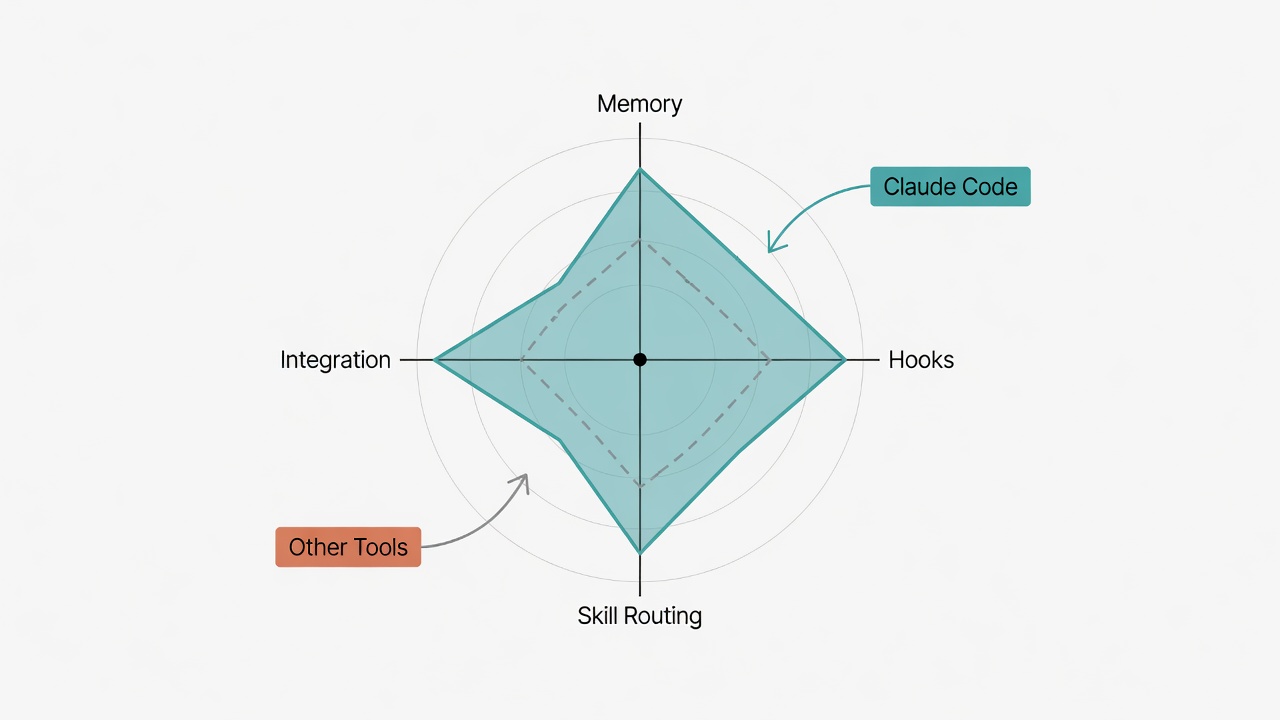
Master Table: The Full Picture at a Glance
9 capability indicators in one table showing the strength distribution across five tools.
| Capability | Claude Code | Copilot CLI | agy | Cursor | Aider |
|---|---|---|---|---|---|
| Persistent Memory | Strong | Weak | Weak | Moderate | Weak |
| Hook Extensibility | Strong | None | None | Weak | Weak |
| Skill Routing | Strong | None | None | Weak | None |
| Cross-platform Integration | Moderate (needs scripts) | Weak | Moderate (supports @import) | Weak | Weak |
| Code Completion | Moderate | Strong | Moderate | Strong | Moderate |
| IDE Integration | None (pure CLI) | VS Code | None (pure CLI) | Native IDE | None (pure CLI) |
| Model Selection | Claude series | Multi-model | Gemini series | Multi-model | Multi-model |
| Price Barrier | Moderate | Moderate | Low (free tier available) | Moderate | Low (bring your own Key) |
| Open Source | No | No | Yes | No | Yes |
Scenario-Based Recommendations
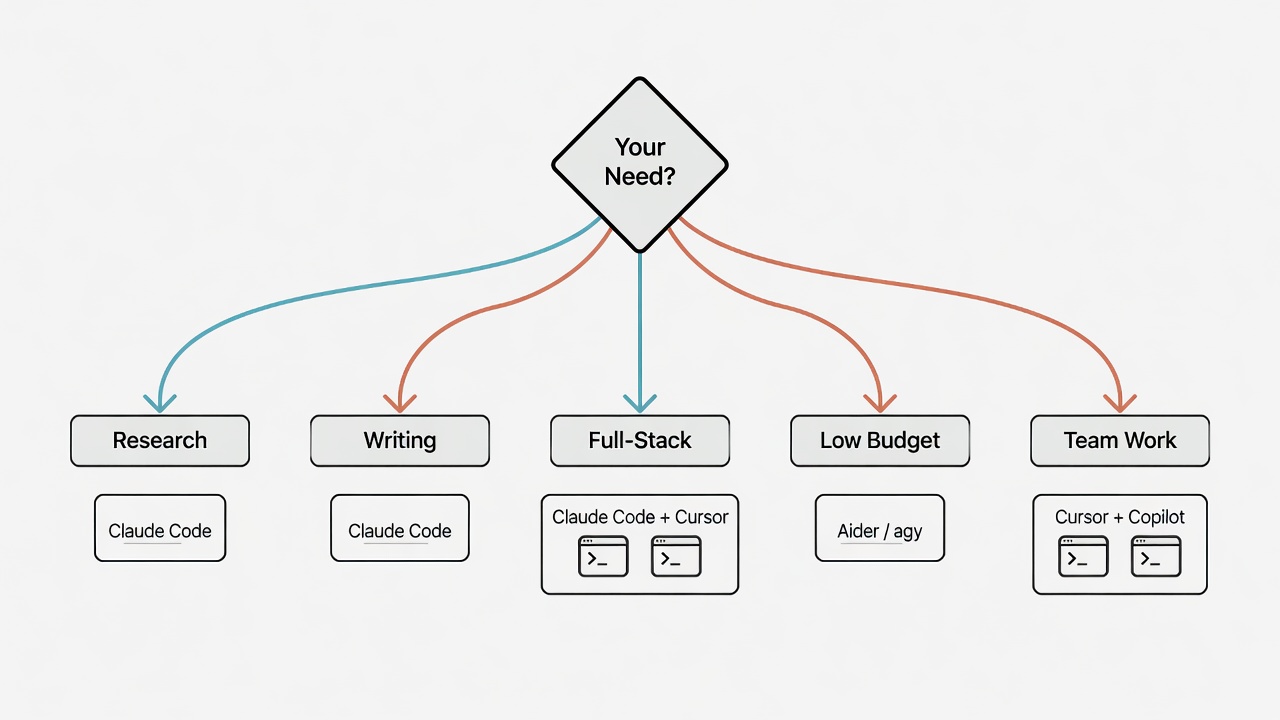
Five usage scenarios each have an optimal tool combination. Picking wrong costs 2-3x the effort to piece things together.
I'll say what everyone says, because it's still true: there's no best tool, only the best tool for your scenario.
Academic Researcher / Professor --> Claude Code
Research work boils down to two core needs: "remember the research context" and "automate repetitive workflows." Weekly literature digestion, writing popular science articles, running statistics: all prime auto-navigation territory. Repeated instructions pile up fast. I've built a literature digestion pipeline, popsci writing SOP, and statistical analysis workflow on Claude Code. From literature search to published chart, one continuous pipeline. Like a research assistant with a great memory who never needs a break. Getting other tools to the same point? From experience, roughly 2-3x more effort to stitch things together.
Backend / Full-Stack Developer --> Claude Code + Cursor
For pure coding, Cursor's IDE integration and completion experience is genuinely smooth. I'll give it credit for that. But if you're also managing DevOps pipelines, writing docs, and maintaining three or four microservices? An IDE alone isn't enough. Claude Code's Hooks and memory system build consistent cross-project rules. Use them together. They don't conflict.
Content / Science Writer --> Claude Code
Writers need two things: "remember my style" and "don't make me re-explain the workflow every time." Claude Code stores tone, prohibited phrases, and article structure rules all in fact.yml. Like a portable writing style manual. I set "don't use sentences starting with dashes" once, and it never did it again. Other tools can't match that level of personalization.
Budget-Conscious --> Aider or agy
Aider is open source. Pair it with your own API Key for the lowest cost. agy has a free tier, good for testing the waters. Memory and automation? Weak. But if all you need is "conversational coding" without building a full Agent system, it works. Get started first, refine later.
Team Collaboration --> Cursor + Copilot CLI
In a team environment, IDE integration and seamless GitHub ecosystem connectivity matter more than personal memory systems. Cursor's collaboration features plus Copilot's deep GitHub integration are more practical in team settings.
Tools Evolve, Principles Don't
Four core questions for choosing tools stay constant regardless of version updates. They apply to evaluating any new tool.
This was written in May 2026. Six months from now? Feature sets will probably look completely different. Copilot might add Hooks. agy might ship persistent memory. Tools change. True. But the questions you should ask when choosing tools don't:
- Can it remember me? (A brain that remembers past conversations)
- Can it follow my rules? (A gatekeeper)
- Can it automate my workflows? (Auto-navigation)
- Can it work with my other tools? (A universal remote)
Evaluate any new tool against these four questions and you won't get swept up by marketing hype. That simple. Doesn't matter how slick the website looks. If it can't pass these four checkpoints, put it aside. Don't let flashy features dictate your choices.
To see how I built a complete Agent system with Claude Code, start from The Complete Claude Code Guide, or jump straight to Building a Complete Agent Workflow from Scratch (Part 1): Architecture Blueprint.
Want to go deeper?
I've put together a "Claude Code Quick Start Cheatsheet" covering installation, CLAUDE.md configuration, memory system basics, and common commands, all on one page.
This is the final post in the technical series. If you're an academic researcher, I'd recommend continuing with the academic track: The Researcher's AI-Era Survival Guide.