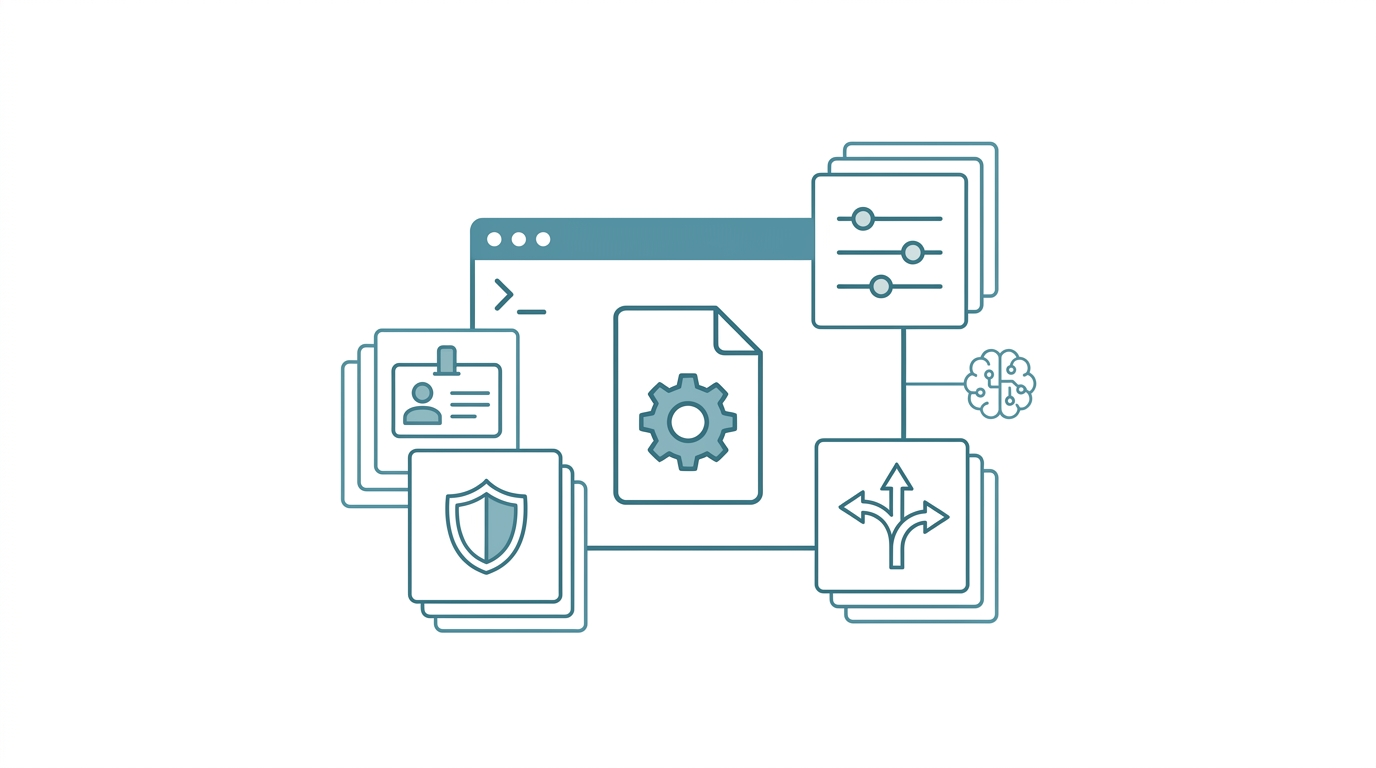
The world without CLAUDE.md vs. the world with it
Imagine walking into the office every morning and your assistant needs a fresh introduction. Your name? Your research area? Your preferred tools? Where you left off yesterday? All from scratch. By end of day, you've burned serious time just repeating instructions. That's roughly what working with AI feels like right now.
Based on my own six-month tracking, a moderate user opens 5 to 8 new conversations per day. The first 3 to 5 messages in each conversation are almost always repeating the same preferences. Add it up: tens of thousands of wasted tokens per month. Time, even more so.
The problem isn't that AI is dumb. It's that AI lacks persistent instruction memory. CLAUDE.md is the entry point for solving this. Think of it as writing an operations manual for your AI assistant -- open the first page and it knows who the boss is, what's allowed, and what's off-limits.
CLAUDE.md is Claude Code's project-level configuration file. It defines the AI's identity, behavioral rules, and memory routing entry points. It loads automatically at every startup, letting the AI begin work with full context rather than starting from zero each time.
I'm an assistant professor and R&D director at a biotech company. My work spans both academic research and product development. Over the past six months, I've iteratively refined this configuration file from an initial three-line ruleset into a modular architecture spanning hundreds of lines. The mistakes along the way piled up. This article is about design thinking, not configuration tutorials. There's a simplified template at the end you can take and modify directly.

First, what happens without CLAUDE.md? Three pain points. How many hit home?
Pain point 1: pasting the same paragraph every day. "I work in biomedical research, please respond in Traditional Chinese, I prefer Tailwind CSS and React for frontend, use R not Python for statistics." I used to paste this at least 3 times a day. Every new session? All preferences reset to zero. I counted -- at least twenty minutes a day wasted on repeated instructions. Like shaking hands with the same person every morning.
Pain point 2: verbal agreements aren't rules. Saying "don't use rm" verbally is useless. It's a suggestion. Like drawing a line in sand -- one gust and it's gone. The AI might "forget" during a complex operation. Result? Config file deleted. Rules not written into a configuration file aren't rules at all.
Pain point 3: lessons learned, then lost. Decisions from last conversation, pitfalls encountered, technology choices finalized -- all buried in that session's history. Next time the exact same situation comes up? The AI has no idea you already made that call. Start over.
With CLAUDE.md?
| Without CLAUDE.md | With CLAUDE.md | |
|---|---|---|
| Preferences | Manual paste each time, 3-5 messages avg | Loaded at startup, zero repetition |
| Safety rules | Verbal agreement, occasionally fails | Written in config, enforced every time |
| Past decisions | Buried in chat history, unfindable | Auto-indexed via memory routing |
| Cross-project switching | Reconfigure for each project | Global config + project overrides |
CLAUDE.md solves all three at once. It's a configuration file that Claude Code reads automatically at startup. Instructions written in it take effect every single time. Not suggestions. Instructions.
How CLAUDE.md loads
Claude Code's configuration files load in a clear hierarchy:
| Level | File location | Scope | When loaded |
|---|---|---|---|
| Global | ~/.claude/CLAUDE.md |
All projects | Every startup |
| Project | Project root CLAUDE.md |
That project only | Every startup |
| Local override | .claude/CLAUDE.local.md |
That project only (not version-controlled) | Every startup |
| Rules directory | .claude/rules/*.md |
That project only | Every startup |
The load order matters: later files override earlier ones. So you can set "Traditional Chinese" globally, then override the language rule in a specific English project's CLAUDE.md.
There's also an easily overlooked mechanism: subdirectories can have their own CLAUDE.md files. But Claude Code only loads them when it actually operates in that directory. Great for monorepo setups. Frontend and backend each get their own rules, no interference.
Four design layers: building your config like a house
A good CLAUDE.md isn't a wall of text with every rule you can think of crammed in. It needs structure. I organize the design into four layers, like building a house: lay the foundation first, then the frame, then the finishing, and finally the house rules.
Layer 1 (foundation): identity declaration
Tell the AI "who you're working with" and "what tone to use." Two lines that save you from explaining your background every time.
## Identity
User: CYH | Timezone: GMT+8 | Language: Strict Traditional Chinese
Role: University Assistant Professor + Biotech R&D Director
This isn't vanity. Identity declaration is the foundation of the whole house. When the AI knows you're in academia, it adopts more professional frameworks for literature and statistical analysis. Knowing your timezone, it won't mix up your 3 PM with 3 AM when scheduling. Two lines. No more repeating your background.
Concrete example: My CLAUDE.md says "Role: University Assistant Professor + Biotech R&D Director." Once I asked the AI to draft an email. It automatically used academic formal tone with institutional affiliation. Doing the same thing in a session without identity declaration? The output read like marketing copy. Huge difference. Identity declaration switches the AI into a completely different working mode.
Layer 2 (frame): behavioral rules
Rules must be specific enough to execute. Vague advice equals nothing.
This is the core of CLAUDE.md. Where you give orders. Write "things you don't want the AI to do" and "conventions you want the AI to follow" as explicit rules. This layer is your guardrails and red lines -- drawing clear boundaries on what's absolutely off-limits.
## Rules
1. rm is forbidden; use mv + _DELETE_ prefix instead
2. API keys must never be hardcoded; use environment variables
3. Irreversible operations require my permission first
4. New tool installations require a security review
There's one iron law here: rules must be specific enough to execute. "Please be careful about security" is meaningless. Might as well not write it. "rm is forbidden; use mv + _DELETE_ prefix instead" is a rule. AI can derive behavior from specific rules. But toss it "be careful about security"? Its interpretation changes every time.
Good rules vs. bad rules:
| Bad rule (vague) | Good rule (specific) |
|---|---|
| Please be careful about security | rm is forbidden; use mv + DELETE prefix instead |
| Maintain code quality | Every function must have a docstring |
| Write good commits | commit message format: type(scope): description |
| Don't install random stuff | New tool installations require a security review |
One thing to acknowledge: even with perfectly specific rules, AI occasionally violates them during complex operation chains. CLAUDE.md is a soft constraint. Not a code-level hard interception. For truly critical safety rules? You need the Hook system too. That's its limitation.
Layer 3 (finishing): preference settings
Preference settings eliminate the "I want X not Y" ritual at the start of every conversation.
Your technology preferences, tool choices, commonly used paths. This layer is the finishing touches -- making the AI's response style and tool choices fit your daily habits.
## Preferences
- Frontend: Tailwind CSS + React
- Statistics: R preferred (hypothesis testing / effect sizes / charts), Python for the rest
- Calendar: Apple Calendar
- Task management: Apple Reminders
With this written, when the AI needs to write statistical code? It goes straight to R. No more asking "Python or R?" -- a question you've already answered a hundred times.
Layer 4 (house rules): memory routing
Memory routing tells the AI where to find past decisions and preference records.
This layer bridges CLAUDE.md and the entire memory system. The first three layers tell the AI "what to do now." This layer tells it "what happened before." Memory routing works like a parcel sorting center: different types of information go to different storage locations.
## Memory Routing
- User preferences/settings -> memory/fact.yml
- Decision records/lessons learned -> memory/episodic.jsonl
- Current task scratch space -> memory/scratchpad.md
- SOP trigger routing -> memory/fact_sop_dispatch.yml
What this layer does is straightforward: tell the AI "need preferences? Read fact.yml." Need past lessons? Read episodic.jsonl. Keep CLAUDE.md itself lean. Use it as an index, don't cram all the details in. Too much content actually slows down loading.
For the complete design of the three-layer memory architecture, see AI Agent Memory System Design: Three-Layer Architecture in Practice.

The secret weapon of modularity: @import
When your CLAUDE.md grows to hundreds of lines, having everything in one file turns into a mess. That's where @import saves you.
# CLAUDE.md (main file, index only)
@import AGENTS.md
@import MEMORY.md
The main file becomes a table of contents. Clean. Identity and rules go in AGENTS.md, memory routing in MEMORY.md, safety rules in .claude/rules/safety.md. Changing one rule doesn't mean hunting through 300 lines. Just open the right file.
A simplified template you can use right away
Here's a streamlined CLAUDE.md suitable for people just getting started with Claude Code. Copy it directly into your project root and modify it to fit your needs.
# CLAUDE.md

## Identity
User: [Your name]
Timezone: GMT+8
Language: Traditional Chinese

## Rules
1. Respond in Traditional Chinese; Simplified Chinese is forbidden
2. rm command is forbidden; use mv with _DELETE_ prefix instead
3. Irreversible operations require confirmation
4. API keys must not be hardcoded

## Preferences
- [Your tech preferences, e.g.: React + Tailwind for frontend]
- [Your language preferences, e.g.: Python as primary]

## Common Paths
- Project root: /path/to/your/project
- Output directory: /path/to/output

## Memory (advanced; optional at first)
- Preference records: memory/fact.yml
- Task scratch space: memory/scratchpad.md
This template is about 20 lines. My full version is considerably more complex, but the core logic is identical: identity, rules, preferences, routing.
Common design mistakes
Wrong turns I've taken, so you don't have to.
Writing CLAUDE.md like documentation. "Claude Code is a wonderful tool that can help me..." Stop. Just write "Language: Traditional Chinese." The AI doesn't need your preamble or reflections. CLAUDE.md is an operations manual. Not a book report.
Rules too abstract. "Please maintain code quality" is meaningless. "Every function must have a docstring" or "commit message format: type(scope): description" -- those are things the AI can actually follow.
Cramming everything into one file. Over 200 lines? Split it. Claude Code supports the .claude/rules/ directory and @import. Security rules, language rules, tool settings -- each gets its own file. Keep the main CLAUDE.md as just an index with identity declaration. My first version was exactly this mistake. Changing one rule meant hunting through 300 lines. Painful.
Forgetting version control. CLAUDE.md should be in Git. It's part of your project. Machine-specific settings? Put them in .claude/CLAUDE.local.md and add it to .gitignore.
Writing rules but never testing them. After adding a new rule, immediately open a new session and trigger it. Wrote "rm forbidden"? Go ask the AI to delete a file and see if it actually uses mv instead. I learned this the hard way: rules you think are crystal clear? The AI's interpretation might differ from yours. Testing costs far less than fixing things after the fact.
CLAUDE.md compared to other tools
Not everyone uses only Claude Code. If you're running multiple AI tools simultaneously, understanding each platform's configuration mechanism saves a lot of wasted effort:
| Feature | Claude Code | GitHub Copilot CLI | Antigravity CLI (agy) | Codex CLI |
|---|---|---|---|---|
| Config file name | CLAUDE.md | copilot-instructions.md (also supports CLAUDE.md) | GEMINI.md | codex.toml + AGENTS.md |
| Format | Markdown | Markdown | Markdown | TOML + Markdown |
| Global + project layers | Yes | Yes | Yes | Yes |
| Rules directory | .claude/rules/*.md |
No | No | No |
| Size limit | Generous | Moderate | Most generous (1M context) | 32 KiB |
| Modular import | @import supported |
No | Supported (via GEMINI.md) | No |
Both Claude Code and agy support @import, letting you dynamically include memory files and rule files. No need to hardcode everything into a single document. Once the system grows? You can't manage it without @import.
The lazy approach to cross-tool sync: maintain a shared AGENTS.md as the "single source of truth." Each tool's config file references it. Change one place, all platforms sync. Full details in Multi-Platform Sync: One Memory System Across Claude/Copilot/agy.
Start with the first line
If you open your terminal right now, create a CLAUDE.md in your project root, and write these three lines:
Language: Traditional Chinese
rm forbidden
Preferences: [your most-used framework]
You've already taken a major step beyond "manually repeating instructions every time."
The design philosophy of CLAUDE.md comes down to one sentence: write down what you'd repeat, and let the machine read it. Not some advanced technique. Discipline. Every rule you write down is one less future repetitive conversation.
Start with an identity declaration, gradually add rules, preferences, and memory routing. No rush. Your CLAUDE.md will grow naturally. Three lines or three hundred lines, what matters is starting. This is the first step toward building a complete AI agent system. And the best return on investment.
For foundational operations, go back to Claude Code: The Complete Beginner's Guide. Ready to go deeper? AI Agent Memory System Design: Three-Layer Architecture in Practice takes you into memory system design.
FAQ
Does the file have to be named CLAUDE.md?
Yes. Claude Code looks specifically for CLAUDE.md (uppercase, with extension) in the project root. Placing it elsewhere or renaming it won't trigger automatic loading. You can also use the path .claude/CLAUDE.md.
Is there a size limit for CLAUDE.md content?
Claude Code's size limit for CLAUDE.md is relatively generous, unlike Codex CLI's hard 32 KiB cap. In practice, keep it under 200 lines and split overflow into the .claude/rules/ directory or external memory files.
Are there security risks or limitations?
Yes. The biggest risk is putting sensitive information (API keys, passwords, internal paths) in CLAUDE.md and pushing it to a public Git repository. Solution: put sensitive info in .claude/CLAUDE.local.md and add it to .gitignore. Another limitation? CLAUDE.md rules are "soft constraints." AI occasionally violates them during complex operations. Rules that need hard guarantees should be paired with the Hook system.
Can I write CLAUDE.md in Chinese?
Absolutely. CLAUDE.md content is instructions for AI to read. Any language works. Write rules in whatever language feels most natural to you, and the AI will understand them more accurately. I personally mix Chinese and English -- whatever flows.
If I write rules in CLAUDE.md, will the AI always follow them?
Most of the time, yes. But AI isn't a deterministic program executor. In complex scenarios, it may still deviate. I've had cases where "rm forbidden" was clearly written, and the AI still snuck an rm into a chain of automated operations. For truly critical safety rules? Don't rely solely on CLAUDE.md's soft constraints. Pair them with the Hook system for hard interception. For Hook system design, see The Hook Gatekeeper: QA on Every Line of Code AI Writes.
How should CLAUDE.md be handled in team collaboration?
Put team-shared rules in the project root CLAUDE.md (committed to Git). Put personal preferences in .claude/CLAUDE.local.md (added to .gitignore). Team consistency and individual flexibility, both covered.
Want to go deeper?
I've put together a complete CLAUDE.md Configuration Template covering the four major sections: identity, rules, preferences, and memory routing, with explanations and fill-in guidelines for every line.
Download the Free CLAUDE.md Template (no signup required)
Next: AI Agent Memory System Design: Three-Layer Architecture in Practice