How many hours do you sit in front of a computer each day? Subtract the grunt work, and how much is actual thinking? Most developers feel it: the time that demands real judgment is painfully small.
Last month I logged every work item for a week and tagged each one: "AI" or "me." Literature searching. Reading note organization. SOP template loading. Code quality assurance. Cross-platform config syncing. The "AI" items added up to roughly 80% of my daily development time. All handled by the AI Agent system behind Claude Code.
AI Agent workflow automation uses memory systems, Skill routing, and Hook-based quality gates to let AI go beyond answering questions and proactively execute entire workflows. Unlike single-turn chatbots, it retains cross-session context and intercepts dangerous operations at the system level.
This article breaks down where that "80%" comes from. I'm an assistant professor at Yuanpei University of Medical Technology and R&D director at a biotech company. Over the past six months, I've built this system from scratch with Claude Code. It doesn't just answer questions. It remembers my preferences, auto-loads the right workflow, and stops me before I break things. Runs across academic research and product development every day.

How I arrived at "80%"
Fair warning: 80% is not a precise engineering metric. It's the approximate proportion I got after categorizing a week's worth of work items, with subjective feel baked in. Even discounted, the number is striking.
My daily work falls into roughly five categories:
| Work Category | Change from Automation | How It's Handled |
|---|---|---|
| Literature search and digestion | From consuming most of a day, compressed to about an hour of wrap-up | lit_pipeline auto-scans + AI summaries |
| SOP template loading and formatting | From manual hunting every time, to virtually hands-free | Skill routing engine auto-matches |
| Code quality assurance | From repeated manual checks, to just reviewing interception results | Hook gatekeeper system auto-intercepts |
| Cross-tool config syncing | From editing three separate tools, to one change syncing everywhere | AGENTS.md unified injection |
| Repetitive writing (popular science, reports) | From an entire afternoon, to under an hour for a first draft | PopSci SOP + de-AI pipeline |
Added up, these categories used to eat most of my week. Now they're largely automated. The freed-up time goes to experiment design, data interpretation, discussing research direction with collaborators. The stuff grunt work can't produce.
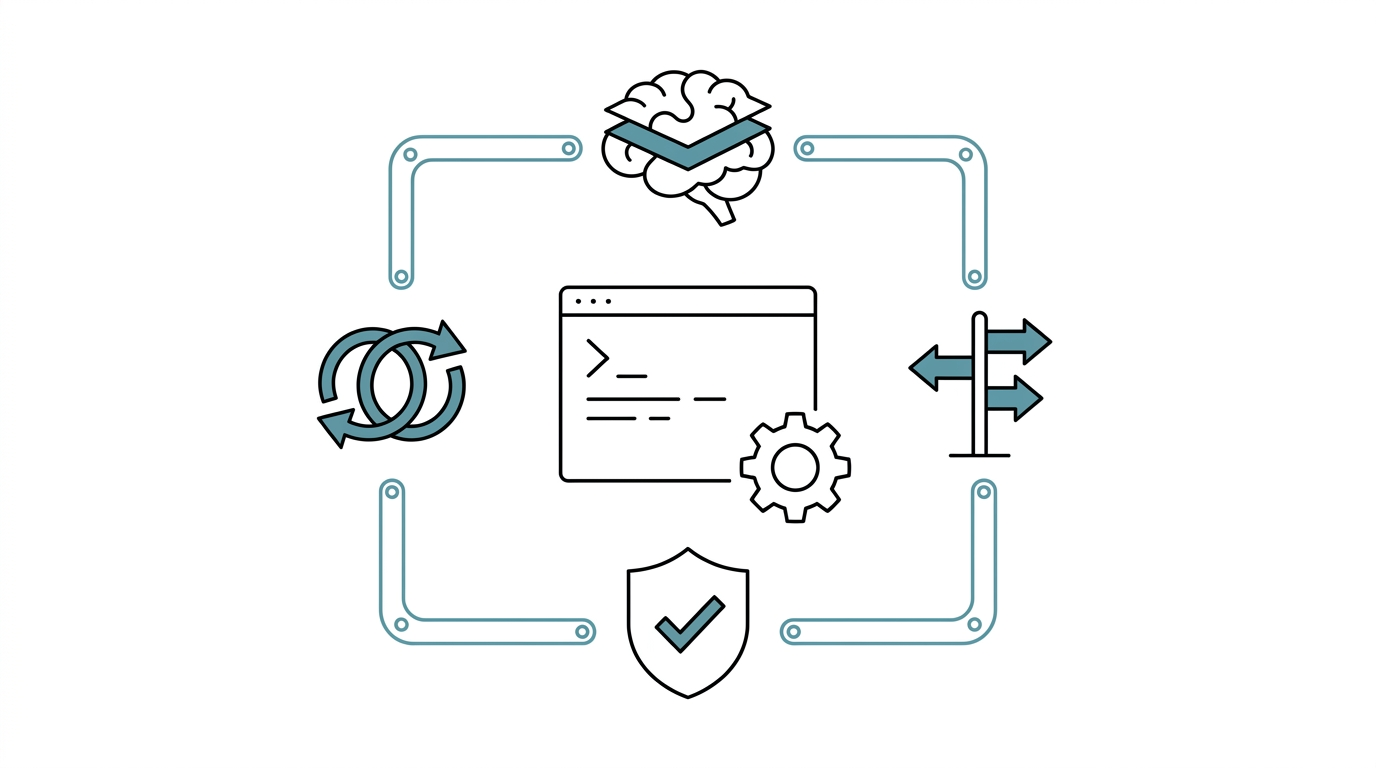
System overview: four core modules
This system wasn't built in a day. Six months ago I had a blank CLAUDE.md, then one problem after another, one layer at a time. Looking back, the core is four modules:
1. Memory System (Three-Layer Architecture)
AI's biggest pain point is amnesia every conversation. Tell it "I use R, not Python" in the morning, and by the afternoon it's writing scipy.stats in a new session. I built a three-layer architecture to fix this. The fact layer remembers who I am, what tools I use, what formats I hate. The episodic layer records past mistakes and decisions, so it won't repeat them next time. The scratch layer is just sticky notes for the current task. Launch Claude Code and it starts with full context.
For a deeper dive into the design logic, see AI Agent Memory System Design: Three-Layer Architecture in Practice.
2. Skill Routing Engine
I built a trigger-word lookup table. When I say "write popsci," the system automatically loads the popular science SOP, prompt templates, and quality standards. Say "make slides," and it switches to the six-principle literature presentation workflow. No need to manually specify "please refer to such-and-such file" every time -- a trigger-word match routes automatically.
3. Hook Gatekeeper System
Once AI ran a seemingly reasonable cleanup script and nearly wrecked my config files. After that I set up PreToolUse Hooks: rm is completely banned, replaced by mv with a _DELETE_ prefix for soft deletion. API keys are never allowed hardcoded. Not relying on AI self-discipline -- system-level mandatory interception.
Hooks have limits though. They only intercept Claude Code's built-in tool operations. If AI runs a shell script containing rm, Hooks may not catch it. Security can't rely on a single gate.
4. Cross-Platform Sync
I use Claude Code, GitHub Copilot CLI, and Antigravity CLI (agy) simultaneously. Three tools with different config file formats, but all sharing a single AGENTS.md as the single source of truth. Change one place, all three sync. Beyond CLI, I also use Claude Desktop App's cowork mode for multi-context collaboration -- different interfaces for different scenarios, same memory underneath.

A real scenario: from literature to popular science article
Here's what a typical week looks like with all four modules running.
Every week I process new PubMed literature and pick topics to write into popular science articles. Before automation: search PubMed, read abstracts one by one, pick what's worth writing about, manually organize into Zotero, open a template, write, self-proofread. Three to four hours per article. Sometimes just "finding one worth writing about" took over an hour.
After automation:
- I run
lit_pipeline.sh-- auto-scans PubMed for new papers and imports into Zotero - AI filters by my research interest tags, generates summaries
- I say "write popsci," Skill routing loads the complete PopSci SOP and templates
- AI produces a draft, then runs through the de-AI pipeline to refine tone
- Hook ensures output files land at the correct path, no overwrites
The entire workflow compresses to about 40 minutes, most of which is me doing final review and adding personal perspective.
A system born from mistakes
I've hit my share of pitfalls. AI executed a seemingly reasonable cleanup script and deleted config files. That's what forced the Hook gatekeeper into existence. Cross-session context completely lost -- decision rationale I'd spent half a day explaining, gone overnight. That's what pushed me from simple prompts to the structured three-layer memory.
But honesty matters here. This system is for people who interact with AI intensively every day. If you only open Claude Code two or three times a week, the setup cost might outweigh the benefit.
Not a single module was pre-planned from a blueprint. All of them were forced into shape by problems chasing me. Want to start from scratch? Claude Code: The Complete Beginner's Guide walks you through the basics. The configuration design logic is in CLAUDE.md Design Philosophy.
You don't need to do it all at once
Start with one pain point.
Repeating the same commands every day? Spend fifteen minutes writing a CLAUDE.md to lock down your common rules. Keep forgetting the decision context from last time? Open a scratchpad.md for task notes. You don't need all four modules at once -- each pain point you solve adds another part.
Six months ago I started from a blank CLAUDE.md too. It had three lines in it.
FAQ
Who is Claude Code automation suited for?
People with fixed repetitive workflows. Developers, researchers, technical managers. Ask yourself: how much of your work involves "re-explaining everything from scratch every time"? If the answer is "a lot," Claude Code's automation architecture can cut that friction significantly.
Won't 80% automation make you lose control?
No. What's automated is process and formatting -- the mechanical grunt work. Judgment and decisions are still mine. The Hook system forces interception before AI executes sensitive operations. It's not AI doing whatever it wants.
What are the risks or limitations?
The biggest risk is blind trust from smooth automation. When everything runs too well, you start skipping verification steps. I've made that mistake -- let an AI-generated stats report go straight into a deliverable, and a reviewer caught a basic error. The other limitation is maintenance cost. Routing rules and memory files need regular updates, or the system slowly drifts out of sync with your actual work.
Can I use Claude Code without programming experience?
Claude Code is a command-line tool that requires basic terminal skills. But you don't need to be an engineer to set up a CLAUDE.md or create memory files. Later articles in this series teach from the very basics.
How is Claude Code different from ChatGPT?
One word: touch. Claude Code runs directly in your local file system -- reads and writes files, executes commands, manages Git. It's not chatting in a browser; it's a development partner that touches your code. Beyond CLI, there's also a desktop version (Claude Desktop App) you can pair with it. For a detailed comparison, see 2026 AI Agent Tool Chain Complete Review.
Want to go deeper?
I've put together a Claude Code Quick Start Cheat Sheet covering installation, CLAUDE.md configuration, memory system basics, and common commands -- all on one page.
Download the free cheat sheet (no signup required)
Next article: CLAUDE.md Design Philosophy: Teaching AI Who You Are