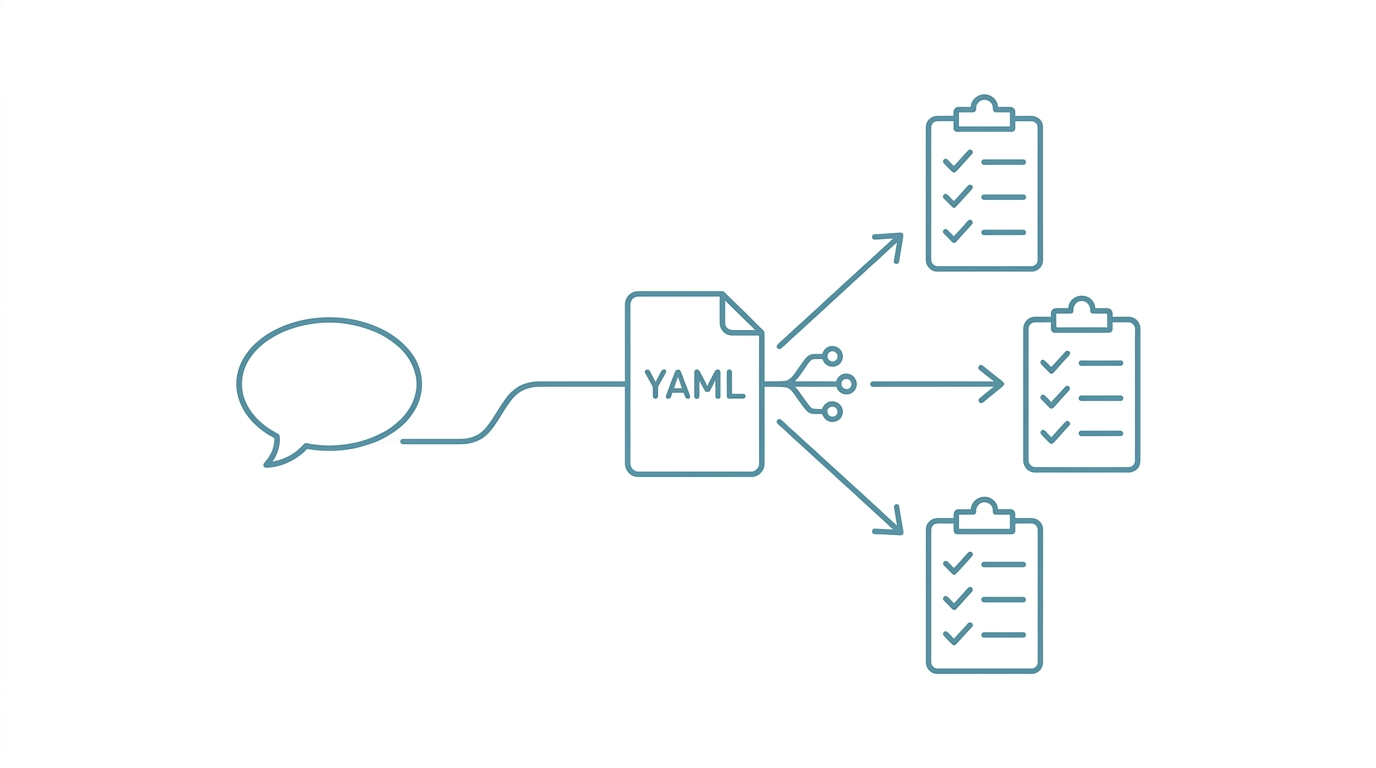
The Problem: Re-Teaching Your AI "What to Do" Every Single Time
Have you ever experienced this? Every time you ask your AI to write a popular science article, you have to paste the SOP first, then the template, then the style guide. By the time you finish all the setup, half your energy for the actual writing is already gone. Worse, when you write another article next time, the exact same instructions have to be repeated from scratch.
This article tackles that problem head-on. I'll break down the design logic of a "Skill Routing Engine," from trigger word matching to automatic SOP loading, so your AI Agent knows which workflow to follow the moment it hears the right keyword.
I'm a university assistant professor and R&D director at a biotech company. Over the past six months, I've built a complete AI Agent system using Claude Code. The Skill Routing Engine is the key component that makes the entire system truly capable of "running on its own."
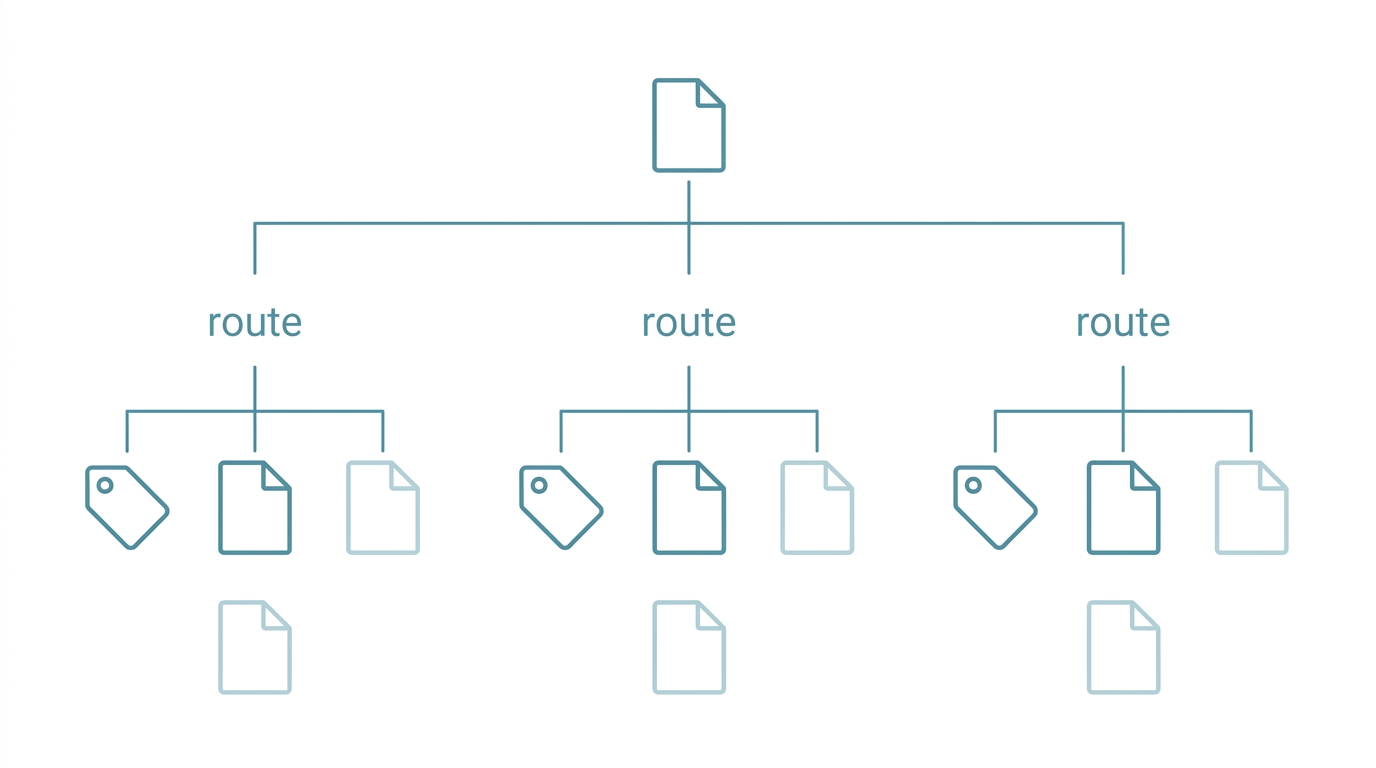
A Skill Routing Engine is a trigger-word-driven automated dispatch mechanism. When a user inputs specific keywords, the AI Agent automatically matches them against a routing table, loads the corresponding SOP processes and templates, and eliminates the repetitive task of manually specifying workflows each time.

Why You Need Skill Routing
Here's the bottom line: an AI Agent without a routing engine is like a computer that needs to be reconfigured from scratch every time you boot it up.
When I first started using Claude Code, every workflow was manually specified in conversation. Writing a popular science article meant pasting an SOP. Writing a grant proposal meant pasting a different SOP. Literature screening required yet another process. Switching between three or four task types per day, the time spent just "telling the AI what to do right now" consumed a significant chunk of my day.
Efficiency isn't the only issue. Manual specification carries two hidden risks:
- Omission: One time I forgot to paste the quality standards, and the resulting article was missing a FAQ section. I didn't notice until after publication.
- Inconsistency: The same type of task follows slightly different processes each time, resulting in uneven quality.
A routing engine solves all three pain points at once: repetitive setup, omission risk, and quality inconsistency.
Core Architecture: Three-Step Dispatch from Trigger Word to SOP
The Skill Routing Engine's operational logic is straightforward. It breaks down into three steps:
- Trigger Word Matching: The user says keywords like "popsci," "write an article," or their localized equivalents
- Route Lookup: The system finds the matching route in a YAML routing table
- Auto-Loading: It reads the SOP, templates, and quality standards specified by that route
The core of the entire mechanism is a single YAML file. I call it fact_sop_dispatch.yml. This file is the routing engine's "brain," defining every workflow's trigger conditions and loaded content.
Routing Table Structure
Here's a simplified routing table example:
sop_dispatch:
  base_path: "{{VAULT}}/309_Templates"

  routes:
    popsci_article:
      triggers: ["科普", "寫文章", "popsci", "文獻轉文章"]
      must_read:
        - "PopSci/SOP/科普工作流程.md"
        - "PopSci/Prompt/科普文獻_Prompt.md"
        - "PopSci/Template/科普文章模板.md"
      also_read:
        - "PopSci/Guideline/品質標準.md"

    proposal_writing:
      triggers: ["計畫書", "MOST", "IRB", "grant", "proposal"]
      must_read:
        - "Proposal/SOP_撰寫流程.md"
        - "Proposal/INDEX.md"
      also_read:
        - "Proposal/01_IRB/"
        - "Proposal/02_Commercial/"
The structure is clear: each route has a set of triggers (trigger words), along with must_read (required files) and also_read (reference files). Trigger words support mixed languages, so everyday conversation can activate routing.
Why YAML Instead of Code
This is a design decision. Using YAML instead of Python or JavaScript has three advantages:
| Aspect | Written as Code | Written as YAML |
|---|---|---|
| Modification barrier | Requires programming knowledge | Plain text editing |
| AI readability | Requires parsing logic | Natively structured, AI understands directly |
| Version control friendliness | Diffs hard to read | One setting per line, clean diffs |
| Extension method | Modify code + test | Add a few lines of YAML |
An AI Agent reads YAML as naturally as a human reads a table of contents. No additional parsing layer needed.
Implementation Steps: Building Your Routing Table from Scratch
Here's the order I recommend:
Step 1: Inventory Your Repetitive Workflows
Start by listing the AI tasks you repeat every week. For example, my list:
- Popular science article writing
- Literature screening and digestion
- Grant proposal writing
- Technical documentation
- Social media post production
- Academic presentation creation
Step 2: Create an SOP for Each Workflow
Each workflow needs at least one SOP (Standard Operating Procedure) describing the steps, quality standards, and output format. SOPs don't need to be long, but they must be specific enough that the AI knows exactly what to do after reading them.
Step 3: Define Trigger Words
Trigger word design principles:
- Cover everyday language: Write trigger words the way you naturally speak. "Write an article," "produce content," and "popsci" all point to the same route.
- Include multiple languages: Some people say "popsci," others say the equivalent in their native language. Include both.
- Avoid overlap: Different routes' trigger words shouldn't intersect. Overlap creates ambiguity.
Step 4: Write the YAML Routing Table
Combine the results of the previous three steps into fact_sop_dispatch.yml. The format follows the example above.
Step 5: Register Routing Behavior in CLAUDE.md
The routing table alone isn't enough. You need to tell the AI "what to do when it encounters a trigger word." Add execution instructions in your CLAUDE.md or AGENTS.md:
ai_sop: |
  When any trigger word from sop_dispatch is detected:
  1. First read all files in that route's must_read
  2. Confirm understanding of the SOP process before starting the task
  3. If also_read exists, load during the relevant execution phase
  4. After task completion, self-check against the SOP's quality standards
This instruction tells the AI what process to follow after routing is triggered.
Manual Specification vs. Skill Routing: What's the Difference
Let's compare using a concrete scenario. Say you want to write a popular science article:
| Step | Manual Specification | Skill Routing |
|---|---|---|
| 1. Specify task type | "Help me write a popsci article" | "Help me write a popsci article" |
| 2. Provide SOP | Manually paste full SOP | System auto-loads |
| 3. Provide template | Manually paste template | System auto-loads |
| 4. Provide style guide | Manually paste guide | System auto-loads |
| 5. Provide quality standards | Might forget | System auto-loads |
| 6. Start writing | Writing begins at step 6 | Writing begins at step 2 |
Manual specification takes six steps. The routing engine needs just one trigger; the rest completes automatically. And quality standards are loaded every time without fail.
Advanced Techniques: Making Your Routing Table Smarter
Once your basic routing is set up, you can add several advanced designs:
Technique 1: Chain Skill Pipelines
Some workflows need more than an SOP; they require chaining multiple AI Skills. Add a skills_pipeline field to the route:
deai_optimization:
  triggers: ["去AI感", "DeAI", "humanizer"]
  must_read:
    - "DeAI/審核SOP.md"
    - "DeAI/禁用詞表.md"
  skills_pipeline:
    - "/content-humanizer"
    - "/slopbuster"
    - "/copy-editing"
This way, when "DeAI" is triggered, the AI doesn't just read the SOP but also runs through three Skills in sequence.
Technique 2: Embed SOP Logic Inline
For more complex routes, you can embed execution logic directly in the YAML:
literature_match:
  triggers: ["這篇", "這份文獻", "paper"]
  must_read:
    - "memory/fact_active_projects.yml"
  sop: |
    1. Parse the paper's title, abstract, and keywords
    2. Match against active projects' domain_keywords
    3. If matched, list matching results and application suggestions
    4. If no match, process the literature normally
This approach suits tasks with short but well-defined processes.
Technique 3: Pair with the Memory System
The routing engine and the memory system are natural partners. The routing engine determines "what to do"; the memory system provides "what background knowledge to use." For example, the literature screening route reads fact_active_projects.yml, letting the AI know which projects are currently active and automatically judge which project a new paper is most relevant to.
My Current Routing Table Scale
Here's the actual state of my routing table. My fact_sop_dispatch.yml currently contains over ten routes, covering:
- Popular science article writing
- Knowledge digestion pipeline
- Illustration generation
- De-AI optimization
- Grant proposal writing (IRB, government grants, industry collaboration)
- Academic paper writing
- Literature screening
- Technical documentation
- Academic presentations
- Patent applications
- SEO articles
- Social media distribution
Each route has corresponding SOPs, templates, and quality standards behind it. The entire system means I spend virtually no time on "setting up context" when switching tasks.
This wasn't built in a day. I spent roughly three months gradually expanding it, adding a new route whenever I encountered a repetitive operation. I recommend you build incrementally in the same way.
FAQ
How is a Skill Routing Engine different from ChatGPT's Custom Instructions?
ChatGPT's Custom Instructions are a single global setting shared across all conversations. A Skill Routing Engine is multi-route dispatch, loading different SOPs and templates based on different task types. The granularity is completely different: Custom Instructions are "one key for every door"; a routing engine gives "every door its own dedicated key."
What if trigger words conflict?
Design trigger words to minimize overlap. If there's genuine ambiguity (e.g., "literature" could mean screening or digestion), use more specific trigger words to differentiate ("screen literature" vs. "digest literature"), or have the AI proactively ask when things are ambiguous.
Can the routing table be updated dynamically?
Yes. Since the routing table is a plain-text YAML file, you can add, modify, or delete routes at any time. The AI Agent re-reads the latest version on each trigger. No restart or redeployment needed.
What if I don't know YAML?
YAML syntax is minimal. It's essentially "key: value" structures with indentation. You can even ask Claude Code to write it for you. Just describe "I want to build a paper-writing route, the trigger words are..., the SOPs to load are..." and that's enough.
Does this approach work with AI tools other than Claude Code?
The core concept is fully portable. As long as your AI tool supports reading external files (most CLI tools do), you can use a similar routing mechanism. The only difference is the name of the entry configuration file. Cross-platform approaches are covered in Multi-Platform Sync.
Want to Go Deeper?
If you're interested in the upstream and downstream systems of the Skill Routing Engine, the memory architecture I use to manage routing table loading is described in AI Agent Memory System Design: Three-Layer Architecture. The quality control mechanism that runs after route execution is covered in Hook Gatekeeper System.
I've compiled a Claude Code Quick Start Cheat Sheet covering installation, CLAUDE.md configuration, memory system basics, and common commands on one page.
Next up: Hook Gatekeeper System: Every Line of Code Your AI Writes Gets Quality-Checked