Did You Know Switching AI Tools Resets 60 Days of Training?
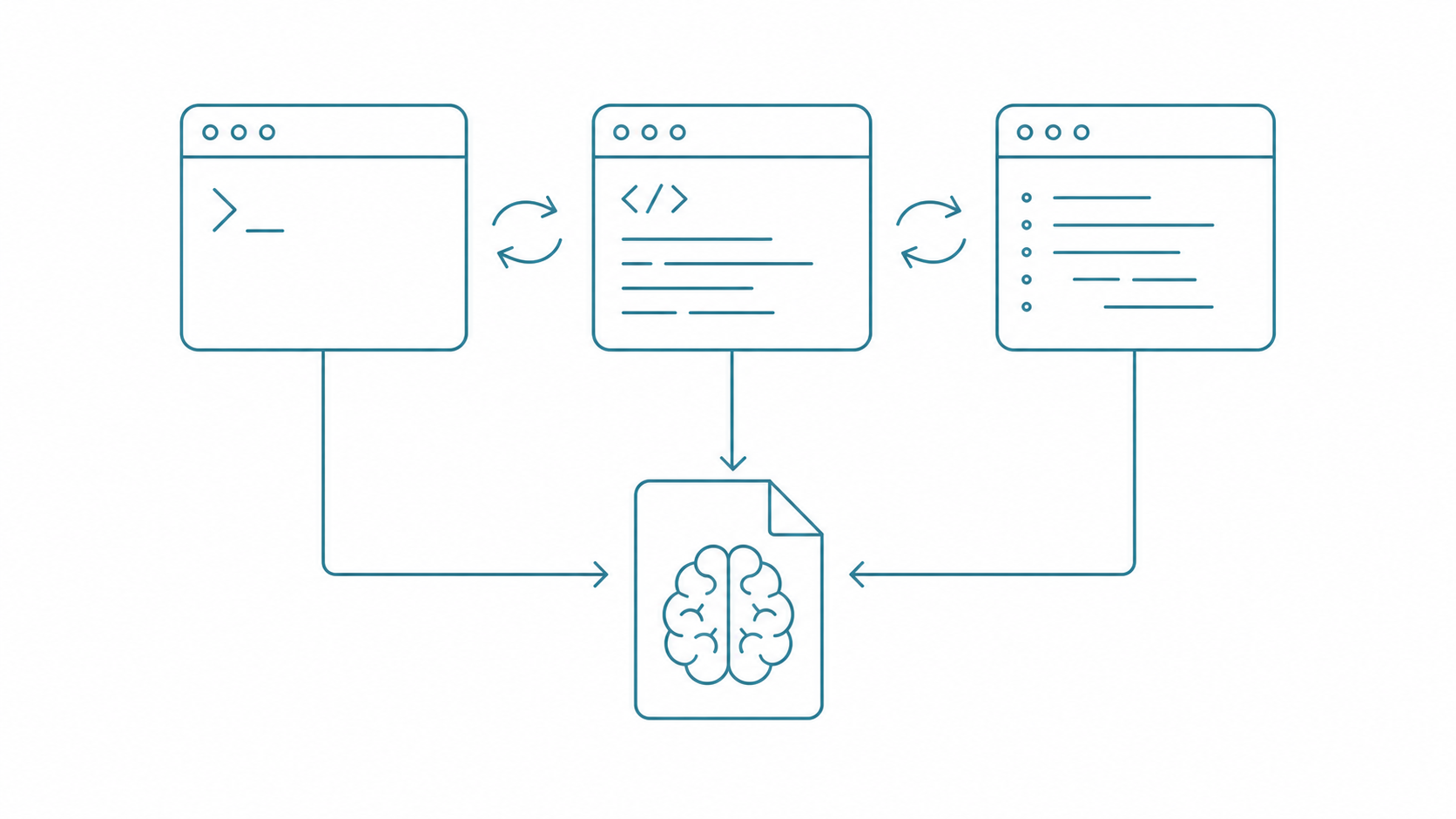
One shared file lets three AI tools run the same set of rules.
Picture this. You spend two months building a memory system for Claude Code, dialing in preferences, tuning safety rules. One day you decide to try GitHub Copilot CLI or Google's Antigravity CLI (agy). You open it up. Two months of work, gone.
It knows nothing about you.
Your preferences? No idea. Project structure? Blank slate. Safety rules? Nonexistent. It's like painstakingly writing an employee handbook by hand at Office A, then discovering the new hire at Office B never got so much as a photocopy. Starting from scratch. All that time you invested just vanished. You thought you were "trying a new tool." What you were actually doing was retraining an amnesiac assistant.
The problem is clear: how do you share the same AI Agent memory and rules across multiple platforms? Not by copy-pasting three separate copies and maintaining each one. One core, three references. That's it. Think of it like a franchise operations manual. Each branch has its own manager, but the opening SOP is always a single version. Once you set up sharing, rule maintenance costs drop by roughly 70%.
I currently run Claude Code, Copilot CLI, and agy simultaneously. Here's how I actually do it.
Cross-platform memory sync is an AI Agent configuration management strategy where you centralize core rules and memory in a single shared file (like AGENTS.md), then have each platform's entry config reference it, achieving "maintain once, sync everywhere."

Entry Config Files Across Three Platforms
Different filenames, different syntax, different locations.
Between 2025 and 2026, all three platforms shipped config file systems. Same purpose: tell the AI "who you are and what to do" using Markdown. But the filenames differ. The locations differ. The syntax differs. Just figuring out the differences between the three ate up my entire afternoon.
Think of three different offices. Each has a bulletin board at the entrance. You need to post "company policies" for the people inside. The catch: the three bulletin boards have different formatting rules.
Claude Code: CLAUDE.md
The entry file is CLAUDE.md, placed in the project root. It supports @import to reference other files. Think of it as a binder. The cover page has Claude-specific stuff. Inner pages use @import to pull in the shared rulebook:
# CLAUDE.md

@import AGENTS.md

## Claude-Specific Settings
- Skill routing: memory/fact_sop_dispatch.yml
- Skills index: memory/SKILLS_INDEX.md
There's also a second layer: the user-level ~/.claude/CLAUDE.md. It applies to all projects. Essentially your personal cross-project defaults. No matter which project you open, this layer gets loaded first.
GitHub Copilot CLI: copilot-instructions.md
The entry config is .github/copilot-instructions.md, placed in the .github/ directory. Standard Markdown syntax. No @import support. This is the biggest limitation among the three. I'll explain the workaround later:
# Copilot Instructions

## Language
- Use Traditional Chinese (Taiwan)
- Simplified Chinese and mainland terminology prohibited

## Safety Rules
- rm prohibited, use mv + _DELETE_ prefix instead
- API Keys must never be hardcoded
Global config lives at ~/.config/github-copilot/instructions.md.
Antigravity CLI (agy): GEMINI.md
Google's agy inherits the Gemini CLI configuration foundation. The entry file is GEMINI.md, placed in the project root. Like Claude Code, it supports @import. You can reference AGENTS.md and shared memory files:
# GEMINI.md

@import AGENTS.md

## agy-Specific Settings
- Default to Google Search as search backend
Global config lives at ~/.gemini/GEMINI.md.
Comparing the Three Platforms
The Hook system is the biggest difference.
| Aspect | Claude Code | Copilot CLI | Antigravity CLI (agy) |
|---|---|---|---|
| Entry file | CLAUDE.md |
.github/copilot-instructions.md |
GEMINI.md |
| Global config | ~/.claude/CLAUDE.md |
~/.config/github-copilot/instructions.md |
~/.gemini/GEMINI.md |
| @import support | Native | Not supported | Supported (via GEMINI.md) |
| Persistent memory | Supported (memory file system) | Limited (session-based) | Limited |
| Hook system | PreToolUse / PostToolUse | None | None |
| Config format | Markdown + YAML | Plain Markdown | Markdown |
| Project-level rules | .claude/rules/*.md |
None | None |
The biggest gap is the Hook system. Only Claude Code has one. That's why I use it as my primary tool. On the @import front, both Claude Code and agy support it. Copilot doesn't. But core rules can be shared across all three. I'll cover the workaround below.
AGENTS.md: The Shared Employee Handbook
Six-section structure, with shared and platform-specific content fully separated.
The heart of this whole approach is a single AGENTS.md. Think of it as the company employee handbook. No matter which office you work in, you open the same book.
What Goes in AGENTS.md?
My own AGENTS.md is split into six sections. Each one covers a single concern:
## §1 Identity
Client info, timezone, language preferences

## §2 Language & Style
Language preferences, prohibited terms, AI response style

## §3 Safety Rules
- rm prohibited, use mv + _DELETE_ prefix instead
- API Keys must never be hardcoded, environment variables only
- Sensitive file list (.env, credentials.json, etc.)
- git push --force to main/master prohibited
- Irreversible operations require confirmation

## §4 Memory System Routing
- Fact layer: memory/fact.yml
- Episodic layer: memory/episodic.jsonl
- Scratch layer: memory/scratchpad.md

## §5 Path Quick Reference
Absolute paths for vault, workspace, template library

## §6 Task Completion Standards
What to do when each task ends: write back memory, update status
The key point: this file contains nothing platform-specific. No Hook rules. No Skill routing. No Google Search config. It's purely "cross-platform consensus." Like DNA. It determines the basic traits of your AI assistant across all platforms.
Then each platform's entry config references it:
AGENTS.md (shared core: rules + memory routing)
    ├── CLAUDE.md    → @import AGENTS.md + Claude-specific settings
    ├── GEMINI.md    → @import AGENTS.md + agy-specific settings
    └── .github/copilot-instructions.md → embedded AGENTS.md essentials

What About Copilot Not Supporting @import?
This is the most commonly asked question. Two options.
Option one, quick and dirty: hardcode the most important rules from AGENTS.md (language, safety, paths) directly into copilot-instructions.md. About 40-60 lines covers 90% of scenarios. Think of it as a "pocket summary of the employee handbook." Carry it with you.
Option two takes a bit more effort: write a shell script that automatically extracts core rules from AGENTS.md and overwrites the Copilot config when AGENTS.md gets updated:
#!/bin/bash
# sync-agents-to-copilot.sh
# Extract core rules from AGENTS.md, sync to Copilot config

SOURCE="AGENTS.md"
TARGET=".github/copilot-instructions.md"

echo "# Copilot Instructions (auto-synced from AGENTS.md)" > "$TARGET"
echo "" >> "$TARGET"

# Extract §1-§3 (identity, language, safety)
sed -n '/^## §1/,/^## §4/p' "$SOURCE" | head -n -1 >> "$TARGET"

echo "" >> "$TARGET"
echo "# Full rules: see AGENTS.md" >> "$TARGET"
I use both. Day-to-day I rely on the essentials version. When I remember, I run the sync script. Honestly it's maybe once every two or three weeks. But it hasn't caused any real issues.
You can take it further. Hook the sync script into git pre-commit:
# Add this line to .git/hooks/pre-commit
bash sync-agents-to-copilot.sh
git add .github/copilot-instructions.md
Now every commit syncs automatically. Nothing to remember.
Handling the Memory Layer: Not Every Memory Should Travel
Only the fact layer needs cross-platform sync.
The rules layer is straightforward. The memory layer is where things get messy.
Your instinct might be "just sync everything." That doesn't work. Think of memory sync like packing for a move: some things every home needs (passport, ID). Some things only work in a specific house (the key that fits only that front door). Forcing House A's key into House B just makes your keychain heavier. Finding the right key actually takes longer.
| Memory Layer | Analogy | Content | Cross-Platform Sync | Approach |
|---|---|---|---|---|
| Fact layer | Passport/ID | User preferences, tool config, project list | Needed | Embed paths in AGENTS.md, each platform reads them |
| Episodic layer | Diary | Past decisions, error history | Not needed | Claude Code only |
| Scratch layer | Sticky notes | Current task notes | Not needed | Each platform manages its own |
Fact layer preferences (language is Traditional Chinese, rm is prohibited, timezone GMT+8) are needed across platforms. No debate there. But the episodic and scratch layers? Each platform has completely different conversation context. Forcing a sync only confuses the AI. I tried it once. After agy read Claude Code's decision history, it started making judgments based on wrong context. It's like handing Company A's meeting minutes to a new hire at Company B. Not only can they not use it, the internal jargon just creates confusion. I gave up on that.
The actual approach is simple: just put memory file path references in AGENTS.md:
## §4 Memory System
- Formal memory: WORKSPACE/memory/
- Fact layer: memory/fact.yml (preferences, settings, tool index)
- Episodic layer: memory/episodic.jsonl (decisions, failures, milestones)
- Scratch layer: memory/scratchpad.md (current task notes)
Claude Code fully utilizes all three layers. Like a veteran employee who knows all your habits. Copilot and agy see the paths and can at least read the preference settings in fact.yml. That's basically getting a new hire orientation packet. The fundamentals are covered. Seriously. Not every tool can integrate memory as deeply as Claude Code. But once preferences are synced, language accuracy jumps from around 60% to nearly 95%. Day-to-day, you stop hitting the "why is it Simplified Chinese again" landmine.
For the full memory system design, see AI Agent Memory System Design: Three-Layer Architecture.
Handling Platform-Specific Settings
Write them in each platform's own entry file. Don't pollute the shared layer.
Some settings only make sense on a specific platform. Cramming them into the shared layer just creates noise. It's like putting Mac keyboard shortcuts into a Windows user manual. More harm than help.
Claude Code specific: The Hook gatekeeper system (covered in the previous article), the Skill routing engine (fact_sop_dispatch.yml), .claude/rules/*.md. These three take up most of my CLAUDE.md. But other platforms have zero use for them.
Copilot CLI specific: GitHub integration settings (PR templates, issue formats), code completion preferences. That's about it. Pretty lean.
agy specific: Google ecosystem integration (Search, Drive), multimodal processing settings.
The principle is simple: write them in your own entry config. Don't pollute the shared layer. The employee handbook only contains what everyone should follow. Department rules stay in each department.
Migration Steps from Scratch
Five steps, about one to two hours.
If you're currently using just one tool and want to start cross-platform syncing, follow this order:
Step 1: Audit Your Existing Rules (about 20 minutes)
Open your current entry config. Whether it's CLAUDE.md, copilot-instructions.md, or GEMINI.md. Split the rules into two piles:
- Shared pile: Language preferences, safety rules, path definitions, memory routing, task completion standards
- Platform-specific pile: Hook settings, Skill routing, platform-specific integrations
Step 2: Create AGENTS.md
Move the shared pile into AGENTS.md. I recommend using §1 §2 §3 section numbering. Makes it easier for sync scripts to grab specific sections later.
Step 3: Hook Up @import in Your Primary Tool
Add @import AGENTS.md to your primary tool's entry file. Delete the shared rules that were previously written directly in the entry file. Keep only platform-specific settings. Run a few routine tasks to verify behavior hasn't changed.
Step 4: Connect the Second Tool
Pick a secondary tool. Create its config file. Reference the same AGENTS.md. Run the same type of task on both platforms. Confirm consistent behavior (correct language? safety rules active?).
Step 5: Add the Third Only After Things Stabilize
Get two tools running smoothly first. Confirm the sync mechanism works. The third one can wait. Don't bite off more than you can chew.
Common Pitfalls
4 high-frequency pitfalls. Know them early, dodge them early.
A few traps that I or readers have fallen into. Listing them here to save you debugging time:
Pitfall 1: Platform-specific syntax in AGENTS.md. For example, putting Claude Code Hook rules in AGENTS.md. When agy reads it, it doesn't recognize the syntax. The entire block gets treated as plain text. No error. But you think it's active when it's not. Fix: shared layer should contain only plain Markdown + natural language rules. Any platform-specific syntax stays in each platform's entry file.
Pitfall 2: Copilot essentials version goes stale. You update safety rules in AGENTS.md. Forget to sync to copilot-instructions.md. Result? Copilot is still running old rules. One operation nearly crossed a safety line. Fix: hook in a git hook for auto-sync. Or at minimum, add a # Last updated: YYYY-MM-DD line at the top of AGENTS.md. Every time you edit, glance at the Copilot side to check the date matches.
Pitfall 3: Relative paths for memory files. memory/fact.yml works fine in Claude Code because it automatically resolves from the project root. Copilot and agy might not. If your memory files live outside the workspace (say, an iCloud path), use absolute paths.
Pitfall 4: Multiple platforms editing AGENTS.md simultaneously. Different platform sessions all telling the AI to "update AGENTS.md." They overwrite each other. Settings get fragmented. Fix: only edit AGENTS.md from one platform (I use Claude Code). Other platforms read only. Simple.
FAQ
Q: Using three platforms at once, doesn't that get confusing?
A: No. Each has its strengths. Use them separately. Claude Code handles heavy multi-step work (literature pipelines, SOP routing, and so on). Copilot handles daily code completion. It's fast at that. agy handles queries that need real-time search. Core rules are shared. Use cases stay in their lanes. Like a chef's knife, a paring knife, and a bread knife in the kitchen. Each has its job. Three knives coexisting doesn't cause fights.
Q: After editing AGENTS.md, will the AI get confused between old and new versions?
A: No. All three tools re-read config files fresh on each run. There's no cached old version problem. Edit AGENTS.md, and the next invocation reads the latest.
Q: What if a certain rule needs different settings on different platforms?
A: Keep the common part in AGENTS.md. Write the differences in each platform's entry file. Entry file settings override or supplement AGENTS.md. For example, Claude Code's Hook rules only live in CLAUDE.md and settings.json. The other two platforms are unaffected.
Q: Can Copilot and agy actually parse YAML-format memory files?
A: Yes. YAML is structured plain text. All three AIs can parse it. However, Copilot and agy aren't as proactive about reading external files as Claude Code. In practice, you might need to explicitly say "please read memory/fact.yml" in the conversation. Don't expect them to auto-load.
Q: What's the biggest security risk with cross-platform sync?
A: The most common misconception is "syncing everything is safest." It's actually the opposite. The episodic and scratch layers contain task context. Force-syncing them to other platforms makes the AI reason from wrong context. Only sync what should be synced (the fact layer). Everything else stays local.
Q: Does this approach work with other AI tools like Cursor and Windsurf?
A: The core concept is universal. Cursor has a .cursor/rules directory. Windsurf has .windsurfrules. As long as the tool can read config files in the project directory, the "shared layer + platform-specific layer" strategy transfers. The only difference is the entry filename and syntax. The logic is identical.
Want to Go Deeper?
Want to see how the entire system fits together? Start with CLAUDE.md Design Philosophy. Then Memory System and Skill Routing Engine. Read all three and you'll have the full picture.
I've also put together a Claude Code Quick Start Cheat Sheet. Installation, CLAUDE.md configuration, memory system basics, common commands, all on one page.
Next: AI Agent Safety Baseline Design: My 10 Unbreakable Rules