First, Let's Define "Read"
"Reading 50 papers a week" sounds absurd, so let me be upfront: "read" here does not mean reading every paper from Introduction to Supplementary Data.
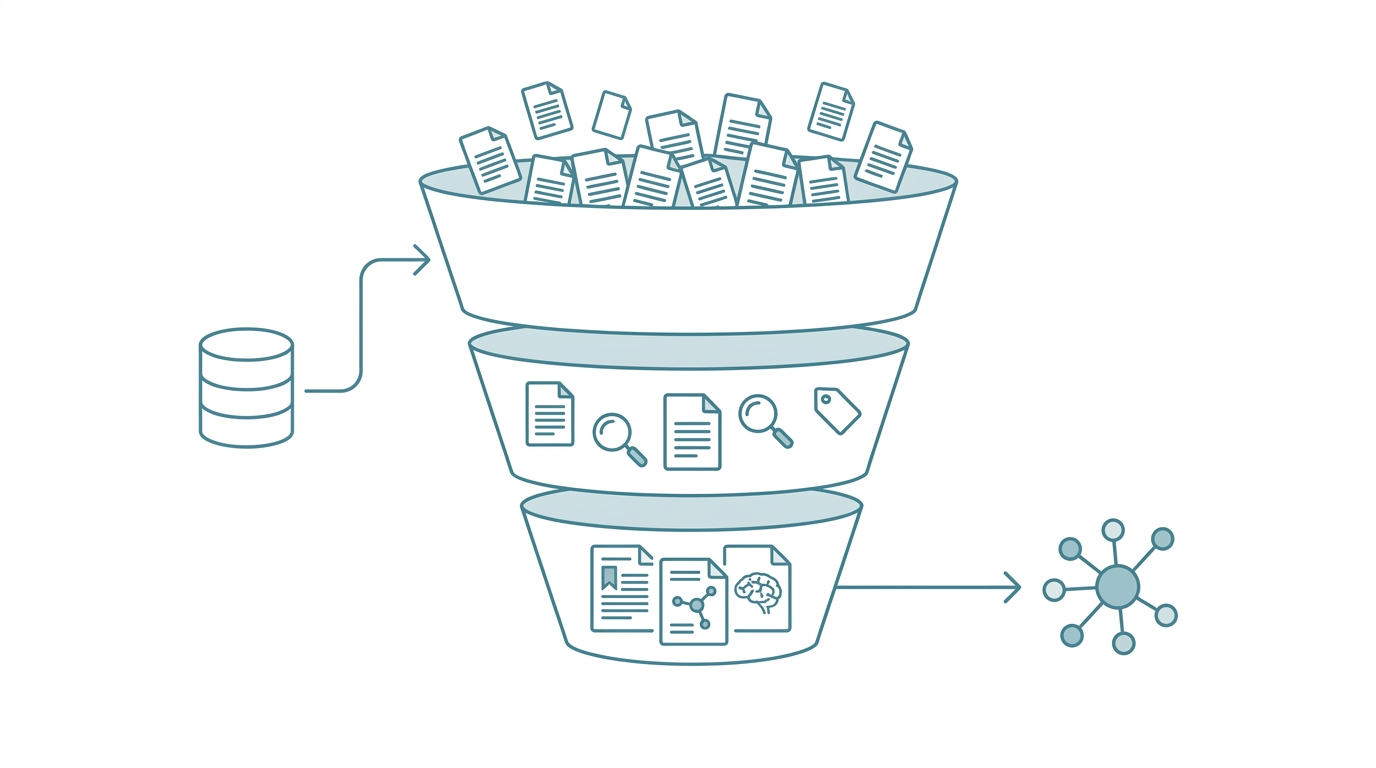
A literature digestion pipeline is an automated workflow that processes papers in tiers. AI handles batch searching, abstract extraction, entity tagging, and relationship mapping, allowing researchers to systematically process large volumes and focus deep-reading time on the few papers that truly matter.
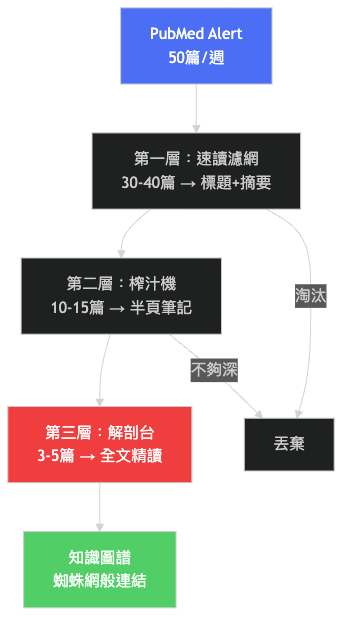
I split literature processing into three tiers:
| Tier | Method | Time per Paper | Weekly Volume |
|---|---|---|---|
| Skim | AI extracts abstract highlights + keyword tags; I read one AI-generated summary sentence | Under 1 min | 30-40 papers |
| Digest | Read AI-structured abstract + check conclusion figures; flag for deep read | 3-5 min | 10-15 papers |
| Deep Read | Read full text, take notes, connect to existing knowledge | 30-60 min | 3-5 papers |
Of those 50 papers, roughly 35 stop at the skim tier. Their value lies in situational awareness: knowing what the field is doing lately, without needing granular detail. The real time investment goes to 3-5 deep reads, but because AI has already filtered the pool, I'm confident each one is worth the effort.
I'm an assistant professor and R&D director at a biotech company, tracking fields spanning immunology, drug development, and bioinformatics simultaneously. Without an automated pipeline, screening alone would consume an entire workday each week.
Before Automation: My Old Workflow
Here's how I used to handle literature. You'll probably recognize it:
- Manual search: Open PubMed, type keywords, scroll through pages of results
- Read titles and abstracts one by one: Open a new tab for anything potentially relevant
- Download PDFs: Save to some folder, filename probably
paper_final_v2_actually_final.pdf - Start reading: Twenty minutes in, realize it's not that relevant after all
- Highlight: Mark up the PDF or manually copy notes to a note-taking app
- File: In theory, organize into Zotero. In practice, pile up on the desktop when busy
The biggest problem isn't any single step being slow. It's that every transition between steps requires manual switching. Search to download, download to open, read to highlight, highlight to file. Each switch breaks your focus. Accumulated over a week, that's an entire afternoon gone.
Worse, this workflow is completely non-retrievable. Three months later, when you want to find "that NLRP3 inflammasome review I read before," your only option is searching your folders from memory, or running the search again.
After Automation: The Current Workflow
Here's what the workflow looks like now:
- Define search criteria: Set keyword combinations in a config file (e.g.,
NLRP3 AND inhibitor AND 2025:2026[dp]). Configure once, runs continuously - Automated search and retrieval: The pipeline queries PubMed E-utilities API in batch. New papers enter the processing queue automatically
- AI abstract extraction: Each paper gets an AI-generated structured summary: research objective, methods, key findings, and potential relevance to my work
- Entity tagging: Automatic extraction of key entities (genes, proteins, drugs, diseases, methodologies) into a searchable tag system
- Relationship mapping: New papers are automatically compared against the existing knowledge base, flagging citation relationships and thematic connections
- Human decision: I review the AI-curated summary list and decide which papers to escalate to digest or deep read
When the pipeline finishes, I'm not opening 50 PDF files. I'm opening a single summary report, sorted by relevance.
| Comparison | Old Workflow (Manual) | New Workflow (Automated) |
|---|---|---|
| Weekly search time | 2-3 hours | Near zero (scheduled) |
| Time to screen 50 papers | An entire afternoon | About 1 hour reviewing summaries |
| Finding a paper 3 months later | Search folders from memory | Keyword search the knowledge base |
| Cross-paper relationships | Entirely in my head | System-tagged automatically |
| Risk of missing key papers | High (manual, prone to gaps) | Low (auto-fetches new publications) |
A Concrete Weekly Workflow
Let me walk through last week as an example.
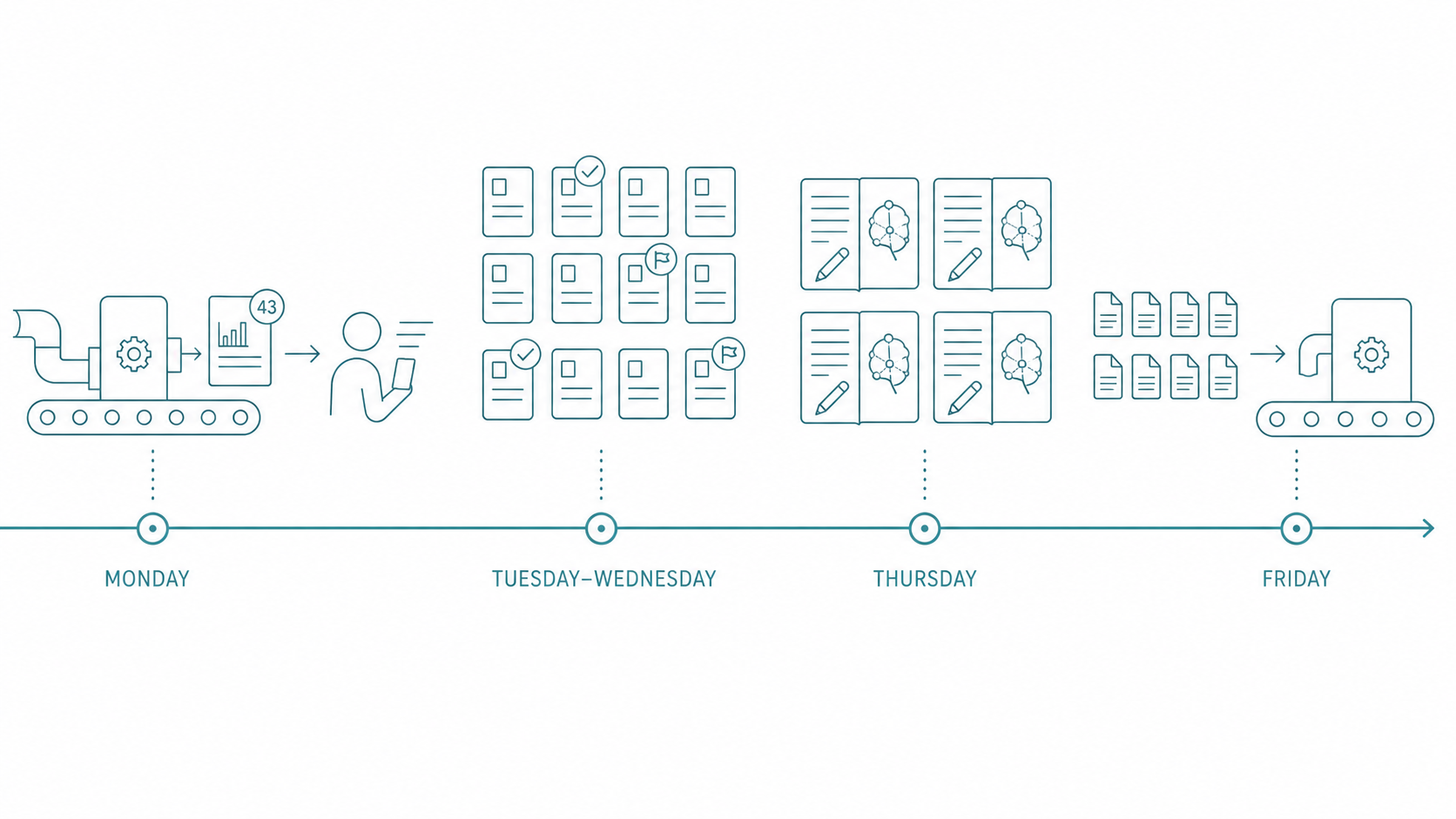
Monday morning, the pipeline had already finished fetching the previous week's new publications in the background. I opened the summary report: 43 new papers. AI had tagged each with a relevance score and topic classification.
I spent about 40 minutes scanning the skim tier. Of those 43, I flagged 12 as "worth reading the abstract." The other 31 I confirmed with just the title and AI's one-sentence summary, then moved on.
Tuesday and Wednesday, during spare moments, I read through the structured abstracts for those 12 papers. Four were directly relevant to a grant proposal I was writing. I escalated them to deep read.
Thursday afternoon, I spent two hours deep-reading those 4 papers. Because I'd already seen the AI abstracts, I knew exactly what to look for in each one. No need to read from the top. After reading, my notes went directly into the knowledge base, automatically linked to existing literature.
Friday, 8 more papers came in (some forwarded by colleagues), entering the same pipeline.
That's the reality of "50 papers a week." Not deep-reading every single one, but systematically processing them in tiers. Making sure nothing important slips through, while not wasting time on what's irrelevant.
What You Need to Get Started
My system handles a scale of over five thousand papers, but you don't need to start that big. A solo-researcher version of the literature digestion pipeline only needs a few core components:
- PubMed E-utilities API access: Free. Just register an NCBI account
- An AI summarization tool: Claude Code or another LLM for abstract extraction
- A knowledge management tool: Obsidian or a plain markdown folder
- A bit of automation glue: Shell scripts or a small Python program
The technical barrier is lower than you think. With some programming basics, you can build a basic version in a single weekend.
For step-by-step setup instructions, the next article PubMed to Knowledge Graph: Building an Automated Literature Digestion Pipeline walks you through a simplified version. If you're still getting oriented on the broader concept of AI-augmented research workflows, start with The Researcher's AI Survival Guide.
FAQ
Won't AI summaries miss important information?
Yes. AI summaries are not meant to replace reading the full text. They help you quickly decide "is this paper worth reading in full." My approach: AI summaries are used only at the skim and digest tiers. Deep reads are always done on the original text. If summary quality isn't sufficient, adjust your prompts or switch models.
Which fields is this method suited for?
Any field with high publication volume and a need for regular tracking. Biomedical sciences are particularly well-suited because PubMed's API is mature. Social sciences can pair with the Semantic Scholar API; engineering fields can use IEEE Xplore or arXiv APIs. The core logic is the same: automated retrieval, AI summarization, tiered processing.
How long does it take to build this system?
Depends on scope. The simplest version (PubMed query + AI summaries + markdown notes) can be done in a weekend. Adding entity extraction and a knowledge graph takes another week or two of iterative tuning. My current system is the result of six months of iteration, but the first version was rough. Good enough is good enough.
Doesn't Zotero already handle literature management? Why do I need this?
Zotero solves "storage and citation." This pipeline solves "discovery and digestion." They're complementary, not competing. After my pipeline runs, papers worth keeping are synced to Zotero for formal archiving. The Zotero + AI integrated workflow is covered in detail in Zotero + AI: The Ultimate Literature Management Workflow.
Want to Go Deeper?
I've compiled a Researcher AI Toolkit: 5 Ready-to-Use Workflows covering literature screening, abstract generation, statistical method selection, science writing, and presentation scaffolding.
Next: PubMed to Knowledge Graph: Building an Automated Literature Digestion Pipeline