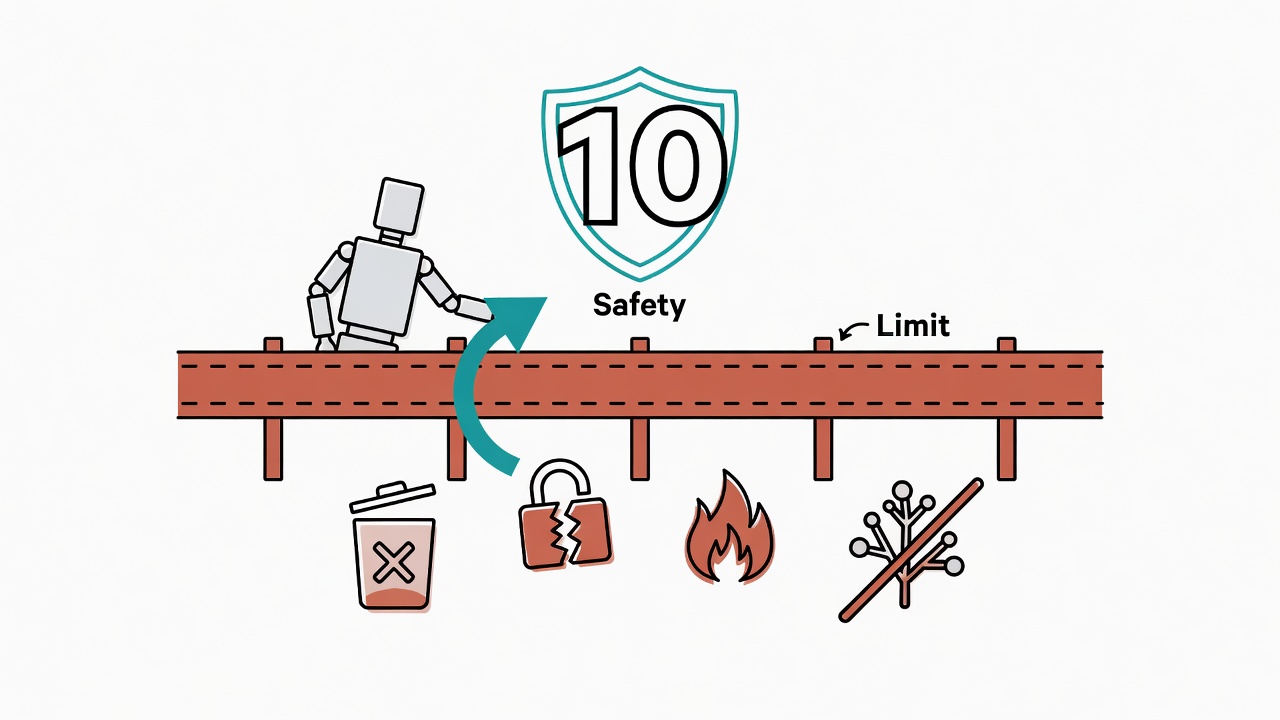
Why Does an AI Agent Need a Safety Baseline?
More authority means more irreversible risk.
Picture this: you've handed 87% of your daily work to an AI Agent. Literature management, code generation, file operations, all humming along as naturally as breathing. Then one night at 2 AM. You type a vague instruction. The screen shows rm -rf. The cursor blinks. One Enter key away from your entire three-month project folder evaporating. Cold sweat rolls down the back of your neck. In that split second, only one thought: who's going to stop it? That one time taught me something: the more powerful your AI Agent gets, the less you can afford to skip guardrails. This isn't a "suggestion." It's a lesson paid for in blood.
An AI Agent safety baseline (I call it the "red line") is a set of rules that must never be violated under any circumstances. It constrains the AI's autonomous behavior boundaries, ensuring that even if the AI misreads intent or receives ambiguous instructions, it won't execute irreversible destructive operations.
The following 10 safety baseline rules were hammered out over six months of using Claude Code and stepping on every mine along the way. Each one has a cold-sweat story behind it. This isn't theoretical reasoning. These are things that actually went wrong.
Planning to automate your workflow with an AI Agent? These 10 rules are what you set up on day one. Not day two. Day one.
Rule 1: Ban rm, Use Soft Delete
Put a lock on the nuclear button.
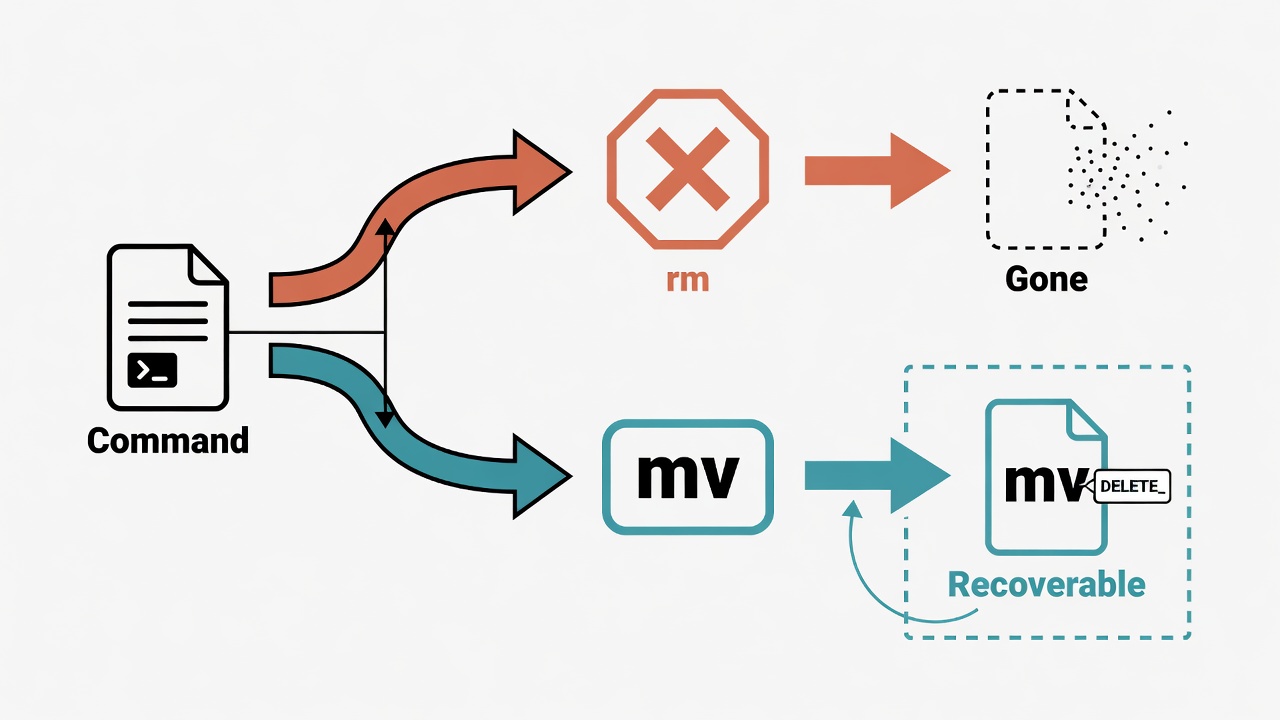
rm is the nuclear button of the file system. The first rule is to lock that button down.
An AI Agent must never execute rm or rm -rf. All "deletions" use mv to move files to a staging directory instead.
The file system has no recycle bin. Once rm runs, the file is gone. No undo. No "are you sure?" dialog. Giving an AI that occasionally misjudges the authority to do this? Come on.
Real case: someone told their AI to "clean up temp files." The AI decided .env was a temp file and cleaned it too. API keys, database connection strings, all gone. Just like that. One vague instruction. The entire deployment environment had to be rebuilt.
How to do it:
# Wrong approach
rm old_config.yml

# Correct approach: soft delete, preserve a rollback timeline
mv old_config.yml _DELETE_old_config.yml
The benefit: if you deleted the wrong thing, you can mv it back anytime. Pair it with a periodic cleanup script. Weekly or monthly, actually purge files with the _DELETE_ prefix.
Rule 2: Irreversible Operations Require Human Approval
Take a photo before touching anything.
Take a photo before touching anything. Deletions, outbound messages, structural changes to the system. Any irreversible operation must pause before execution. Wait for a human to give the green light.
AI is great at executing tasks quickly. But "fast" is exactly the risk. A misaddressed email can't be recalled. A bad commit pushed to production takes 3 hours to fix.
I had a close call: the AI was reorganizing config files. It decided a section "looked outdated" and rewrote it on its own. Nearly swapped a production API endpoint for a test environment one. The AI's judgment is correct most of the time. But that one time it's wrong? Can you afford it?
That's the whole point. One sentence: the AI can prepare, analyze, and recommend. But pulling the trigger stays with the human.
Rule 3: git push --force to Main Branch, Prohibited
No exceptions.
An AI Agent must never execute git push --force on the main or master branch. No exceptions.
Force push is like taking an eraser to an entire shared notebook and replacing everything with your own version. Everyone else on the team who built on those original commits? All conflicts. Previously merged code? Might just vanish.
The mildest outcome: the team spends half a day rebasing. The worst? Someone's work gets overwritten. Remote history gets rewritten. Even git reflog can't save you unless someone happened to still have the original commits locally. Surviving on luck. That's not engineering.
# Explicitly prohibit in AI Agent config
forbidden_commands:
  - "git push --force origin main"
  - "git push --force origin master"
  - "git push -f origin main"
Rule 4: Confirm Working State Before git reset --hard
Uncommitted work vanishes instantly.
Before executing git reset --hard, the AI must first run git status. Confirm there are no uncommitted changes. If there's unsaved work? Pause. Wait for human confirmation.
git reset --hard throws away all uncommitted modifications. I had this happen once: the AI was resolving a merge conflict and decided "starting over would be faster." It reset on its own initiative. Took my 2.5 hours of new feature work with it.
Code you were writing, config files you just fixed, test cases you hadn't committed yet. All zeroed out. Gone. Because they never entered git history. Even reflog can't find them. Dead and buried.
Safe workflow:
- Run
git statusfirst to check working directory state - If there are uncommitted changes,
git stashthem first - Then run the reset
- Only after confirming everything's fine, decide whether to drop the stash
Rule 5: API Keys and Secrets Must Never Be Hardcoded
A leaked key is leaving your house key hanging on the front door.
When AI generates sample code, it occasionally writes your actual API key directly into the source. Pushing a key into code on a public repository is like hanging your house key on a nail outside the front door with a sign that says "welcome." GitHub has automated scanner bots running 24/7 looking for leaked keys. From leak to exploitation, it usually takes less than 5 minutes.
The fallout? Skyrocketing bills, data breaches, hijacked accounts. Someone's AWS key leaked for fifteen minutes. Attackers spun up dozens of crypto mining instances. The bill hit tens of thousands of dollars. Your budget, eaten. Even if you revoke immediately, the attacker may have already done everything they intended in those few minutes.
# Wrong approach
api_key = "sk-1234567890abcdef"

# Correct approach
import os
api_key = os.environ.get("MY_API_KEY")
Rule 6: Structured Data Modifications Must Use Programmatic Methods
String concatenation for config files will blow up eventually.
Why am I being so particular about this? Because I got burned. Structured files have extremely low tolerance for formatting errors. Write them with echo and string concatenation. One extra comma, one missing bracket, one indent off by a space, and it breaks. The nastier part: these errors usually don't surface immediately. They explode the next time the file gets read. By then you've forgotten which edit broke things. Debugging until you question your life choices.
Worse than outright breaking is "looks fine but is actually broken." A field value gets truncated or overwritten. The application reads a wrong value. The result? You spend three hours chasing a bug. Finally discover it was a number the AI silently changed in config.json three days ago.
# Correct approach: programmatic read/write
import json

with open("config.json", "r") as f:
    config = json.load(f)

config["new_setting"] = "value"

with open("config.json", "w") as f:
    json.dump(config, f, indent=2)
Rule 7: Verify Cloud Paths Exist Before Operating
The placeholder trap is sneaky.
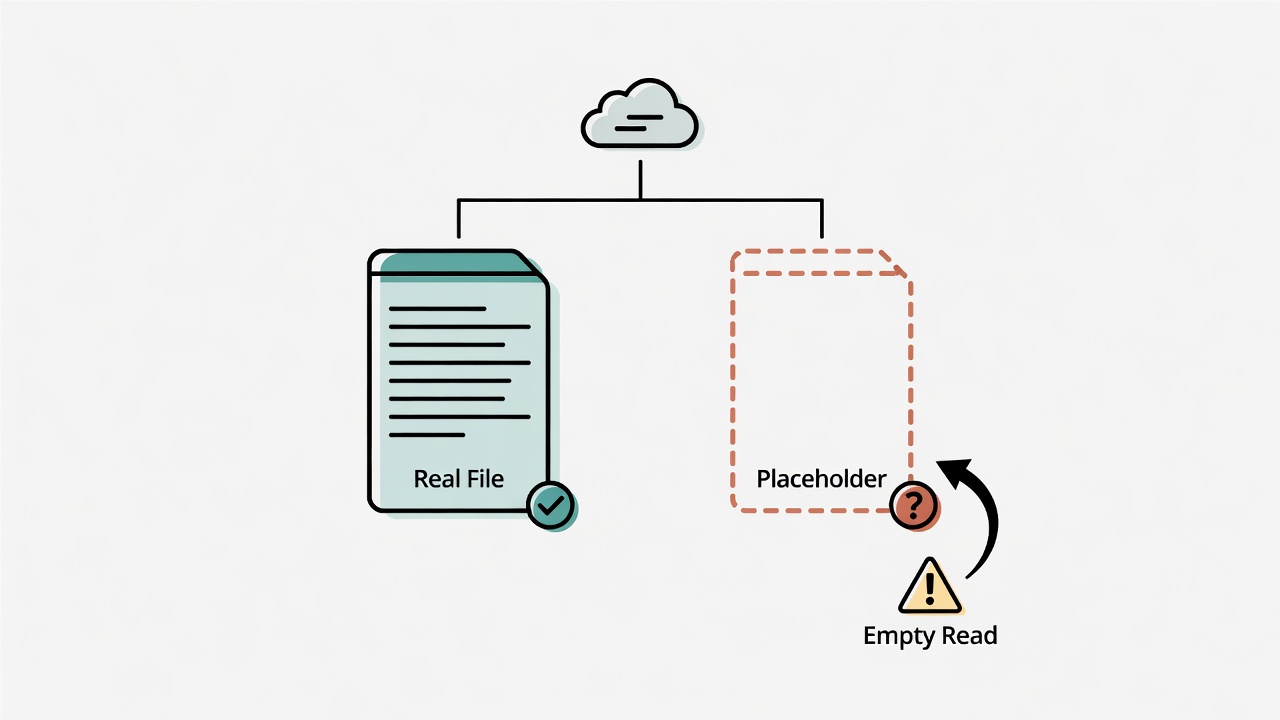
For file operations involving cloud-synced directories like iCloud, Google Drive, or Dropbox: verify the path exists with ls before doing anything.
Cloud-synced directories have a critical difference from local file systems: files can be in an "offloaded" state (placeholder/stub). Like a book shell on a shelf. Looks like the book is there. Open it and it's empty. The path exists. But the content hasn't been downloaded. Operating directly on these files might read empty content, or trigger sync conflicts after writing.
This trap is sneaky. You won't catch it right away. The AI reads a placeholder empty file. Thinks the content really is empty. Makes a bunch of decisions based on empty content. All wrong. Or worse: the AI creates a new file. The cloud sync mechanism simultaneously pushes down a file with the same name. Conflict copy appears. Two versions fighting each other.
How to prevent it:
ls -labefore operating to confirm the file exists and has reasonable size- After reading, check if content is empty (might be a placeholder)
- After writing, confirm the file size is correct
Rule 8: Security Review Before Installing Any New Tool
Supply chain attacks happen every day.
An AI Agent must not install new packages, plugins, or tools on its own. Any new tool introduction must go through a security review process.
Supply chain attacks are among the most active cybersecurity threats right now. Malicious packages pop up on npm and PyPI constantly. Some even impersonate well-known package names. Like counterfeit products on a supermarket shelf with nearly identical packaging. When an AI auto-installs dependencies, it won't notice that requsets and requests differ by one letter the way a human would. It just installs it.
The consequences of installing a malicious package: at best, your CPU gets hijacked for mining. At worst, your entire machine's environment variables (including all API keys) get exfiltrated. Between 2024 and 2025, over 3,000 malicious packages were caught on PyPI alone. This isn't a theoretical threat. It's happening every day.
Security review checklist:
| Check Item | Description |
|---|---|
| Package name verification | Confirm correct spelling, not a typosquatting attempt |
| Maintenance status | Last update date, number of maintainers |
| Download count | Suspiciously low might indicate a fake package |
| Known vulnerabilities | Check npm audit / pip audit |
| Permission scope | What system permissions does this package require |
Rule 9: Process Names Must Be Descriptive
Every process needs a name tag.
Like a company policy requiring employees to wear name badges in the office. Every process the AI starts needs a proper name. When an AI Agent launches any script or background task, it must use the full script path or module name. No bare python3, node, or bash. Background tasks also need descriptive tags.
Multiple AI-launched background tasks running simultaneously. All named python3. You check with ps: five python3 processes. One of them is at 100% CPU. What's it doing? Did the AI start it? Is it the literature pipeline or the image compressor? Will killing it blow up an important running task? You have no idea. It's like walking into an office where everyone is wearing the exact same mask. You can't tell who's who.
# Wrong approach
python3 script.py &

# Correct approach: full path + description
python3 /path/to/project/scripts/lit_pipeline.py --tag "daily-literature-sync" &
Rule 10: Establish a Protected Zone for Sensitive Files
The AI must not edit its own rules.
You have a safe at home, right? Marriage certificate, property deed, bank books inside. Not just anyone can open it. Your AI's file system needs a safe too.
Define a set of "sanctum" files. The AI Agent can read these files but cannot write to them directly. Modifications must go through a review process.
Certain files, if incorrectly modified, trigger chain reactions that shatter the entire system. Core config files, the memory system's fact store, the task kanban board. These directly govern every subsequent behavior of the AI. If the AI edits its own config? That's rewriting its own behavioral rules.
For real. The most absurd scenario I actually encountered: the AI "organized" the safety rules file while "tidying up files." Effectively smashed its own defenses. Other incidents include the AI modifying memory files so it "forgot" my preference for using R for statistics. Or editing the task board to mark completed work as "to-do" again. Making me think I hadn't finished it yet.
Implementation concept:
# Sanctum list (read-only protection)
sanctum_files:
  - memory/fact.yml          # Core preferences and settings
  - memory/episodic.jsonl    # Historical decision records
  - kanban.md                # Task tracking board
  - daily_tasks/*.md         # Daily tasks

# Modification flow: AI proposes changes → human reviews → human or authorized agent writes
Enforcing Safety Rules with Hook Gatekeepers
Rules need teeth.
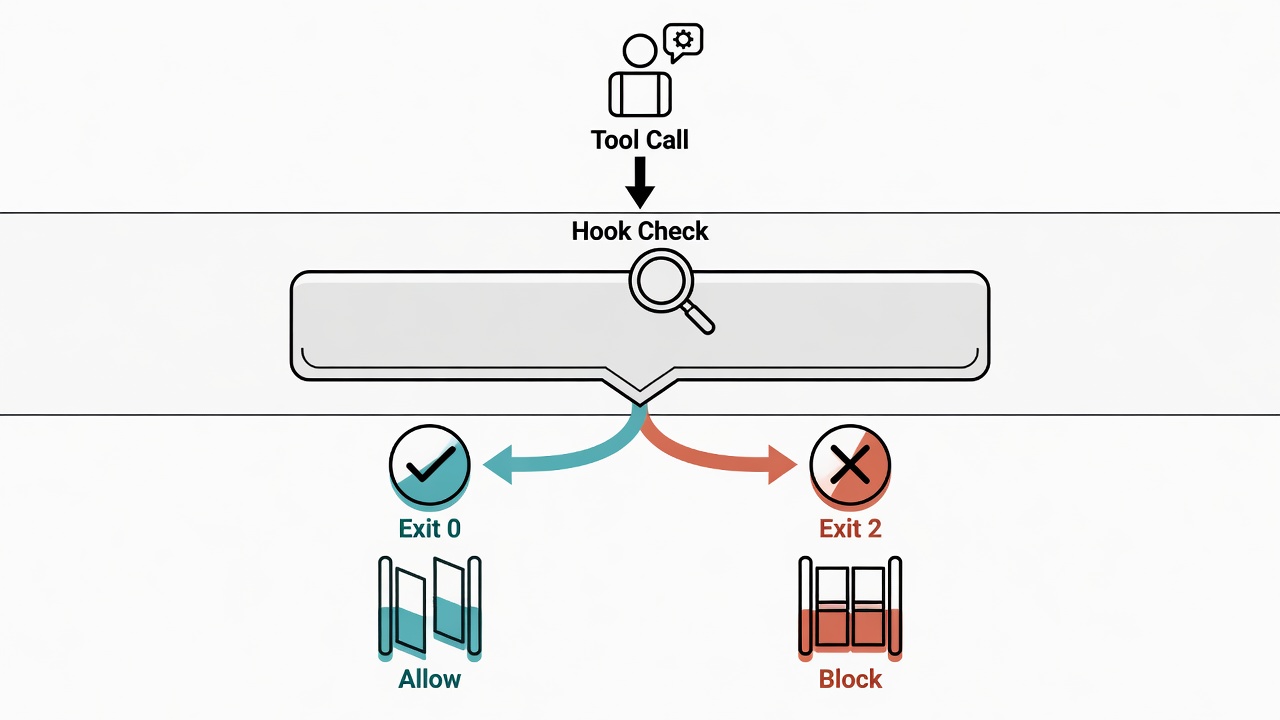
Rules written in a document are just the starting point. Writing without enforcing is barely better than not writing at all. Rules need teeth. Otherwise the AI will eventually escape your constraints. Claude Code's Hook system (PreToolUse / PostToolUse) is those teeth. It automatically intercepts and checks before the AI executes any tool.
| Hook Type | Trigger Point | Safety Use |
|---|---|---|
| PreToolUse | Before the AI uses a tool | Intercept rm, check for force push, verify paths |
| PostToolUse | After the AI uses a tool | Check output for sensitive info, verify write results |
Take Rule 1's "ban rm" as an example. A Claude Code hook is essentially a shell script. It receives JSON from stdin describing the current tool call. The exit code decides whether to allow or block (a non-zero exit code blocks the operation, and the stderr message gets sent back to the AI):
#!/usr/bin/env bash
# .claude/hooks/pre-tool-use.sh (conceptual example)
# Read JSON describing the current tool call from stdin, extract the bash command
command=$(jq -r '.tool_input.command // empty')

if echo "$command" | grep -qE '\brm\s'; then
  echo "Safety Rule #1: rm is prohibited. Use mv to move to _DELETE_ prefix instead." >&2
  exit 2   # Non-zero exit code = block this operation
fi

exit 0
For the complete Hook gatekeeper system design and implementation, see Hook Gatekeeper System: Quality Control for Every Line of Code AI Writes.
Safety Baseline Rules Quick Reference
Ten rules, one table.
| # | Rule | One-Line Rationale | Consequence of Violation |
|---|---|---|---|
| 1 | Ban rm, use soft delete | Deleted files are gone forever | Permanent project data loss |
| 2 | Irreversible ops need human approval | AI occasionally misjudges | Wrong email sent, wrong version pushed |
| 3 | Ban force push to main branch | Overwrites remote history | Team code lost |
| 4 | Confirm state before reset --hard | Uncommitted work vanishes | Hours of work zeroed out |
| 5 | Never hardcode API keys | Exposed keys get abused | Bills explode, data leaks |
| 6 | Use programmatic read/write for structured data | String concatenation is error-prone | Config files corrupted |
| 7 | Verify cloud paths before operating | Placeholder trap | Empty reads, sync conflicts |
| 8 | Security review before new tools | Supply chain attacks | Malware infiltration |
| 9 | Descriptive process names | Can't tell processes apart | Can't debug, accidental kills |
| 10 | Protected zone for sensitive files | AI edits its own rules | Safety mechanisms break |
Building Your Own Safety Baseline
Think risk first, then grant permissions.
These 10 rules were burned into me through experience. Your situation might not be identical. But the thought process is universal: think about risk first, then grant permissions.
How to start? Simple. Three steps:
- Audit your attack surface: What can your AI Agent touch? File system, git, APIs, email? List them. Each one is a risk point
- Flag irreversible operations: What actions can't be undone? All of these get a human confirmation gate. All of them. No exceptions
- Enforce rules with code: Write them into Hooks or CI/CD checks. Don't rely on "please be careful" in the prompt. That sentence stops nothing
These 10 rules have their limits too. They cover the most common destructive operations. They can't enumerate every possible risk scenario. Everyone's workflow is different. You may need to add or remove rules based on your own attack surface.
Guardrails aren't handcuffs for the AI. Quite the opposite. Just like highway guardrails let you press the gas pedal with confidence. The clearer the red lines, the more freely you can delegate.
Frequently Asked Questions
Addressing common questions, including limitations and potential risks of this approach.
Q: Where should AI Agent safety rules be stored?
A: The most effective location is system config files (like Claude Code's .claude/rules/ directory). Auto-loaded on every startup. Pair it with the Hook gatekeeper system for real-time interception. Double protection. Rules written in conversation prompts? In long chats, the AI forgets. I've tested it. Around the 30-something turn mark, it starts "selectively forgetting."
Q: Will these safety rules make my AI Agent slow?
A: No. Rules only get checked when specific operations trigger. For example, scanning for rm only happens when executing bash commands. I've added 5 Hooks. Perceived latency is zero.
Q: What's the most common misconception?
A: The biggest myth is "AI is smart, it doesn't need guardrails." Wrong. The smarter the AI, the faster it moves. The blast radius when it makes a mistake is also larger. Guardrails aren't needed because the AI is dumb. They're needed because it's fast.
Q: If I'm a solo user, not a team, do I still need these rules?
A: You might need them even more. In a team setting, at least there's code review. Someone watches your back. When you're solo? The AI's output often gets executed directly. No second pair of eyes. The safety baseline is the "second pair of eyes" you set up for yourself. Especially at 2 AM when you're pushing through tired and foggy. You'll be glad the Hook caught it.
Q: What's the relationship between AI Agent safety baseline and CLAUDE.md's memory system?
A: The safety baseline is the core component of the "gate layer" in the AI Agent architecture. It works in tandem with the memory system's "fact layer." The memory system ensures the AI knows "who you are and what you prefer." The safety baseline ensures the AI knows "what must never be done." Together they define the AI Agent's behavioral boundaries. In Building a Complete Agent Workflow from Scratch, I cover how these layers work together.
Want to Go Deeper?
I've put together a Claude Code Quick Start Cheat Sheet covering installation, CLAUDE.md configuration, memory system basics, and common commands, all on one page.
Next: Building a Complete Agent Workflow from Scratch (Part 1): The Architecture Blueprint