Best For
marknative is best for people who need to turn Markdown into PNG or SVG in a lightweight, server-friendly way without dragging in a full browser stack.
How I Actually Use It
The appeal is simple: it gives you a cleaner path from Markdown to visual output. That makes it interesting for social cards, report snapshots, and batch-rendered document assets where Chromium feels too heavy.
I would still keep its use narrow. It looks strongest when the content is mostly plain Markdown and the output goal is a polished image, not a fully general document renderer.
Where It Is Strong
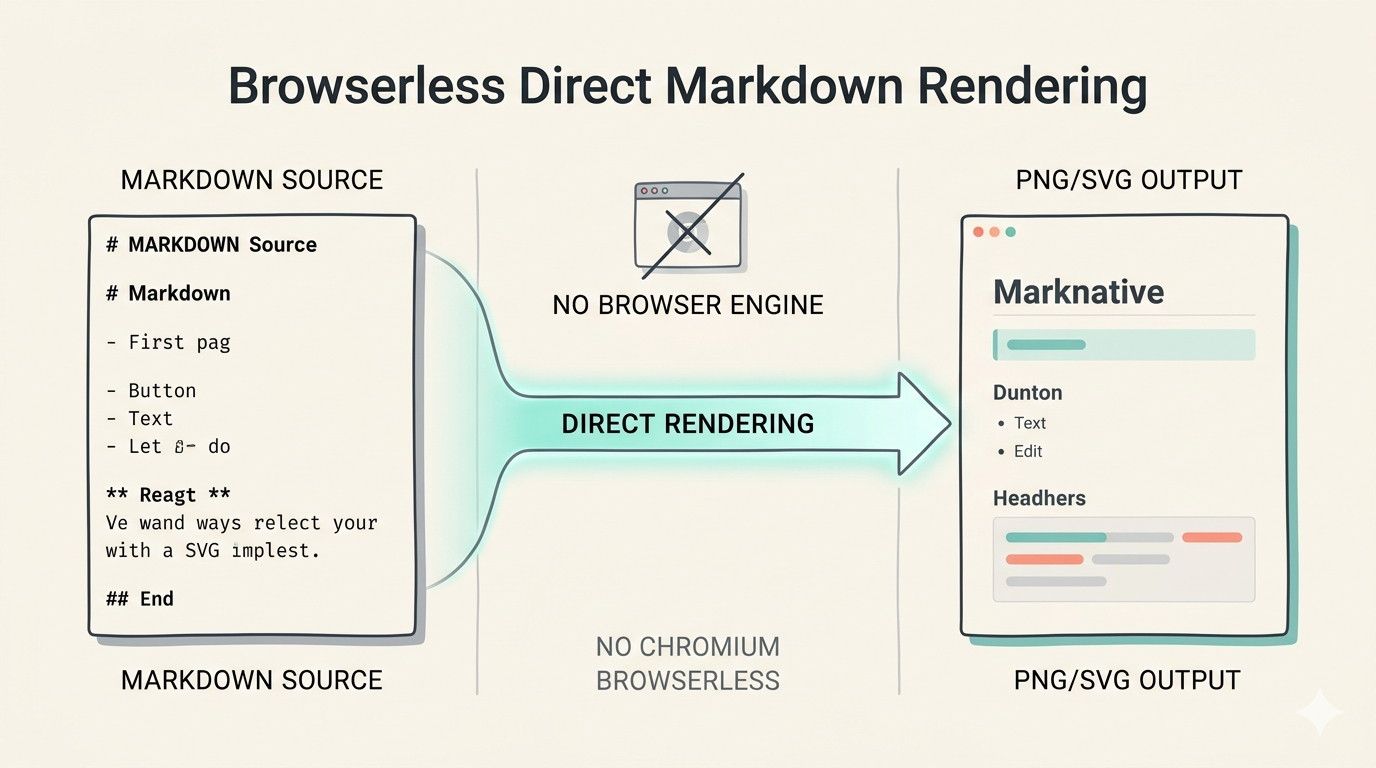
- No Chromium dependency is a real operational advantage
- The Markdown-to-image path is clean and direct
- Themes and rendering structure make it feel more intentional than a quick wrapper
- It fits lightweight server-side workflows well
Where It Fails
- LaTeX and Mermaid support are notable gaps
- Font handling can become environment-sensitive
- Early-version software means the API may still move
- It is better for focused output tasks than universal rendering
Pricing, Difficulty, and Risk
It is open-source and the difficulty is moderate. The bigger issue is not installation. It is fit. If your content is simple and your output target is images, the value is clear. If your documents are complex, the limitations show up quickly.
Verdict
Use it selectively for Markdown-to-image workflows where you want a lightweight alternative to browser automation. Do not assume it replaces a full rendering stack for every document format.