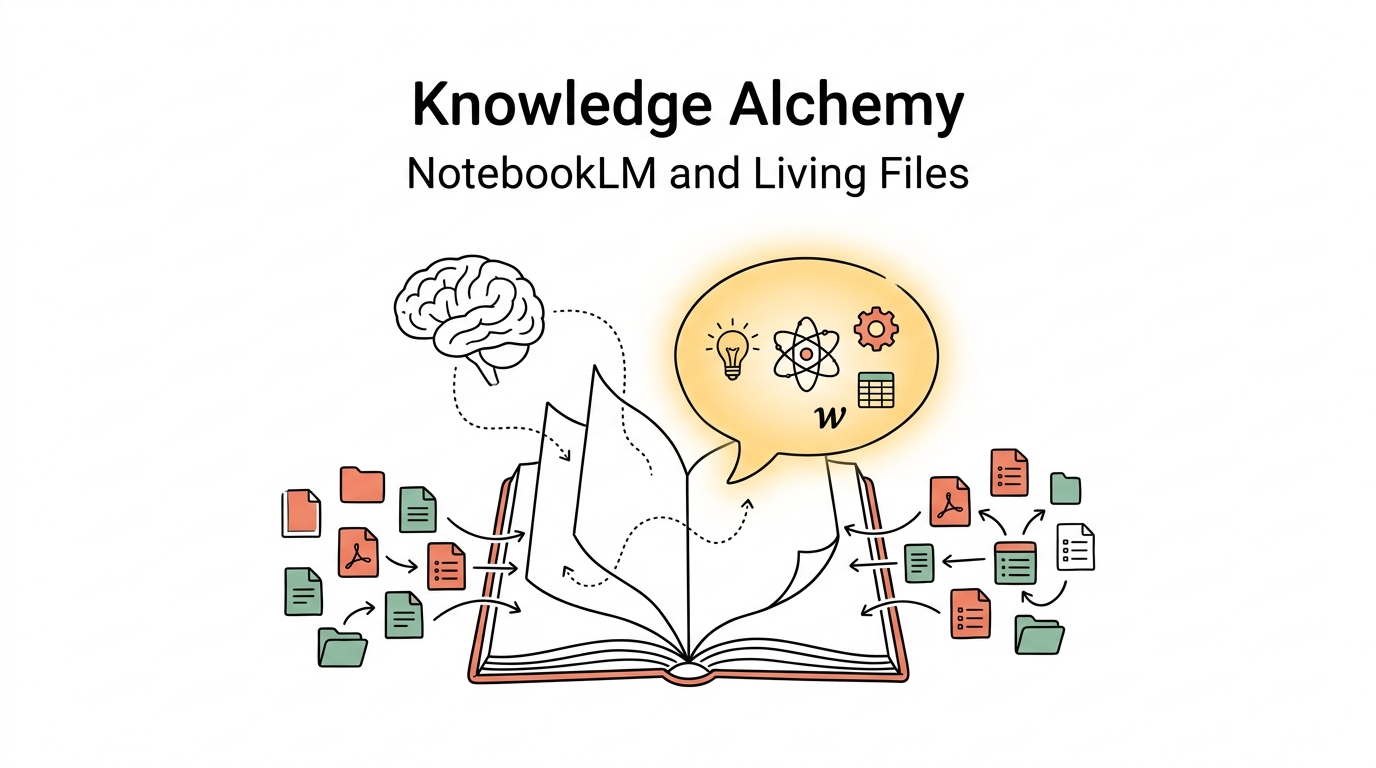
The big idea: Your notes evolve from a silent library into a team of advisors that talk back. Ask one question, and the AI pulls answers from hundreds of documents — with citations.
Your Notes Are Probably Already Dead
Be honest. You have a Notion workspace, an Obsidian vault, a Google Drive stuffed with folders. Hundreds of pages of notes, reading summaries, research clippings.
And then? 99% of those notes are never opened again.
The reason is simple: there's a canyon between saving and remembering. You can't quickly surface that one insight you read four months ago. Even if you find it, you need ten minutes of re-reading before the context clicks back into place.
This is exactly the gap NotebookLM was built to close.
Three Superpowers That Change the Game
1. Zero Hallucination
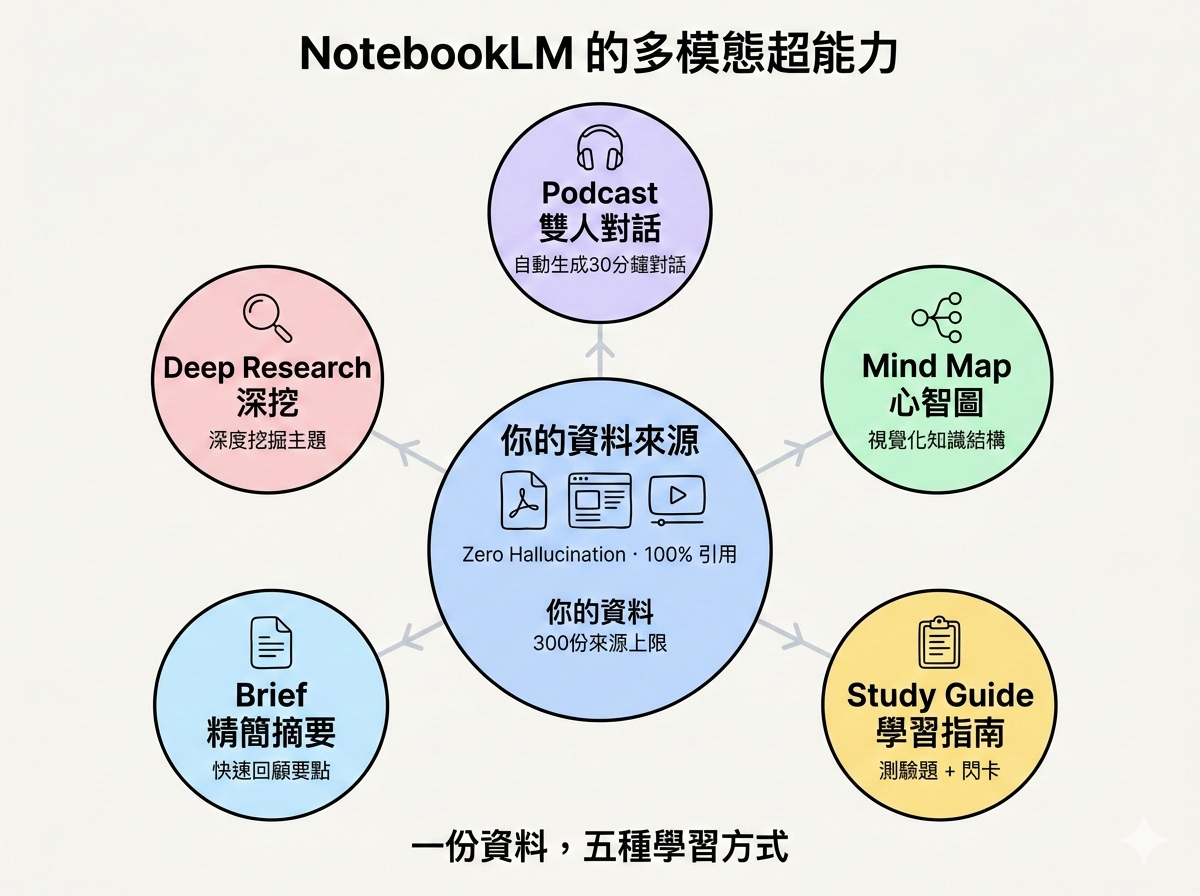
Ask ChatGPT a question and you might get a confidently wrong answer dressed up as fact. NotebookLM takes the opposite approach: every response is 100% grounded in your uploaded sources. If the answer isn't in your documents, it tells you so. Every claim comes with a clickable citation that jumps straight to the original passage.
2. Multimodal Output
Upload the same material and NotebookLM can reshape it into five different formats:
- Audio Overview — a two-host podcast generated automatically.
- Mind Map — a visual breakdown of key concepts.
- Study Guide — quiz questions and flashcards.
- Briefing Doc — a concise executive summary.
- Deep Research — an extended exploration of related topics.
Picture this: you upload a 400-page textbook. Two minutes later, you have a 30-minute podcast you can absorb on your commute.
3. Multi-Source Synthesis
A single Notebook can hold up to 300 sources (on the Plus plan). NotebookLM doesn't just search them individually — it compares across documents.
Try: "Compare how these three books define 'success.'" It scans all three, extracts the relevant passages, and delivers a side-by-side analysis. Doing that manually would take an afternoon.
The "Living Files" System
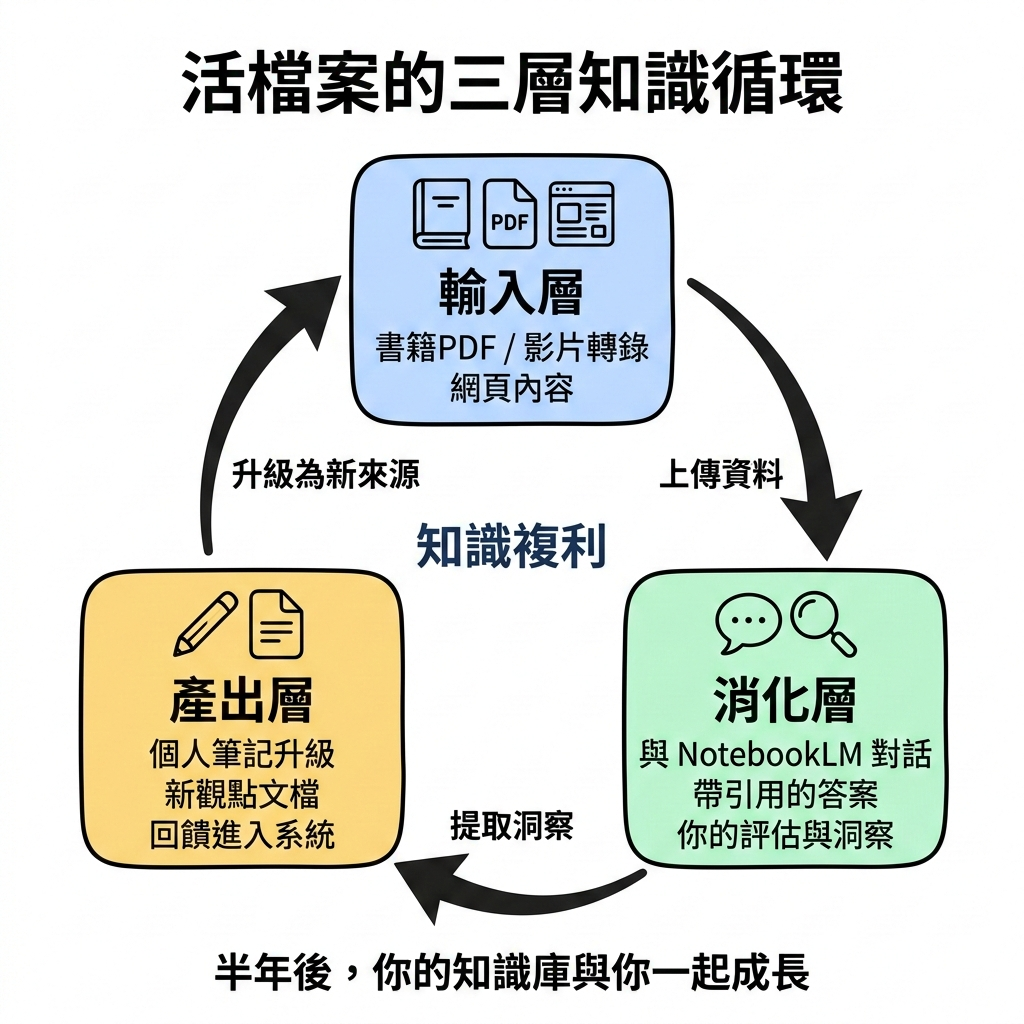
Here's the catch: if your sources never change, your knowledge base fossilises. That's where the Living Files concept comes in — a knowledge system that evolves alongside you.
Three Layers
Layer 1 — Input (Raw Materials) Books, papers, work documents, podcast transcripts, web clippings.
Layer 2 — Digestion (NotebookLM Dialogue) You ask questions. NotebookLM answers with citations. You evaluate whether the answers spark new insight.
Layer 3 — Output (Upgraded Personal Notes) You save the best answers — plus your own reflections — as new notes. Those notes become fresh sources fed back into the Notebook.
This creates knowledge compound interest.
A concrete example:
- Upload Thinking, Fast and Slow.
- Ask NotebookLM: "What are the key cognitive biases?"
- Get a cited, structured answer.
- Add your own work experience to create a new doc: "Cognitive Biases in Product Decisions."
- Feed that doc back into the Notebook.
Six months later, your Notebook isn't a dead book collection — it's a knowledge system that has grown with you.
Five Steps to Build Your Personal Knowledge Base
Step 1: Categorise (Day 1) Use the MECE principle. Create 5–10 top-level Notebooks: Business & Strategy, Tech & Engineering, Personal Growth, Creative & Design, Finance & Investing. The Plus plan supports 500 Notebooks, so space is not the bottleneck.
Step 2: Batch Upload (Week 1) Start with recently finished books, frequently used work documents, and high-value web pages (clip them to PDF first). Keep each Notebook between 80–150 sources for optimal retrieval accuracy.
Step 3: Deep Dialogue (Week 2 onward) After finishing any book or article, spend 15 minutes in conversation: What's the core thesis? How does it compare to source X? How can I apply this at work? Save the key answers as notes.
Step 4: Monthly Review Spend two hours each month pruning outdated sources, promoting strong notes into new sources, and adjusting categories.
Step 5: Quarterly Cross-Notebook Synthesis Pull one key document from each Notebook and ask NotebookLM to cross-analyse them. "Are there contradictions between my business knowledge and my personal growth philosophy?" The insights will surprise you.
Pitfalls to Avoid
Hoarding — Don't dump everything in. Only upload material you'll revisit or need to deeply understand. Skip daily news and throwaway blog posts.
Format Chaos — Blurry scans and messy formatting degrade comprehension accuracy. Clean your PDFs before uploading.
Ignoring Sync — When you update a Google Doc, NotebookLM doesn't auto-refresh. You need to hit "Sync with Drive" manually. Set a reminder.
Learning Tips That Actually Stick
- Feynman Technique with AI — Explain a concept in your own words first, then let NotebookLM correct you. The gap between your explanation and the source is where real learning happens.
- Spaced Repetition — Don't binge-read your Notebook. Revisit once a week. Spacing strengthens memory.
- Immediate Application — Apply what you learn at work the same week. Document both wins and failures — they're equally valuable as future sources.
The Second Life of Knowledge
Traditional learning is a loop of read → forget. NotebookLM breaks it open into read → dialogue → internalise → apply → upgrade.
Knowledge stops being an archive. It starts being alive. Every conversation deepens understanding. Every new note enriches the system.
Give it three months. You'll find your grasp of a subject has grown tenfold — without re-reading a single page.
If you had a knowledge base that could answer any question, what would you ask it first? Drop your answer in the comments.