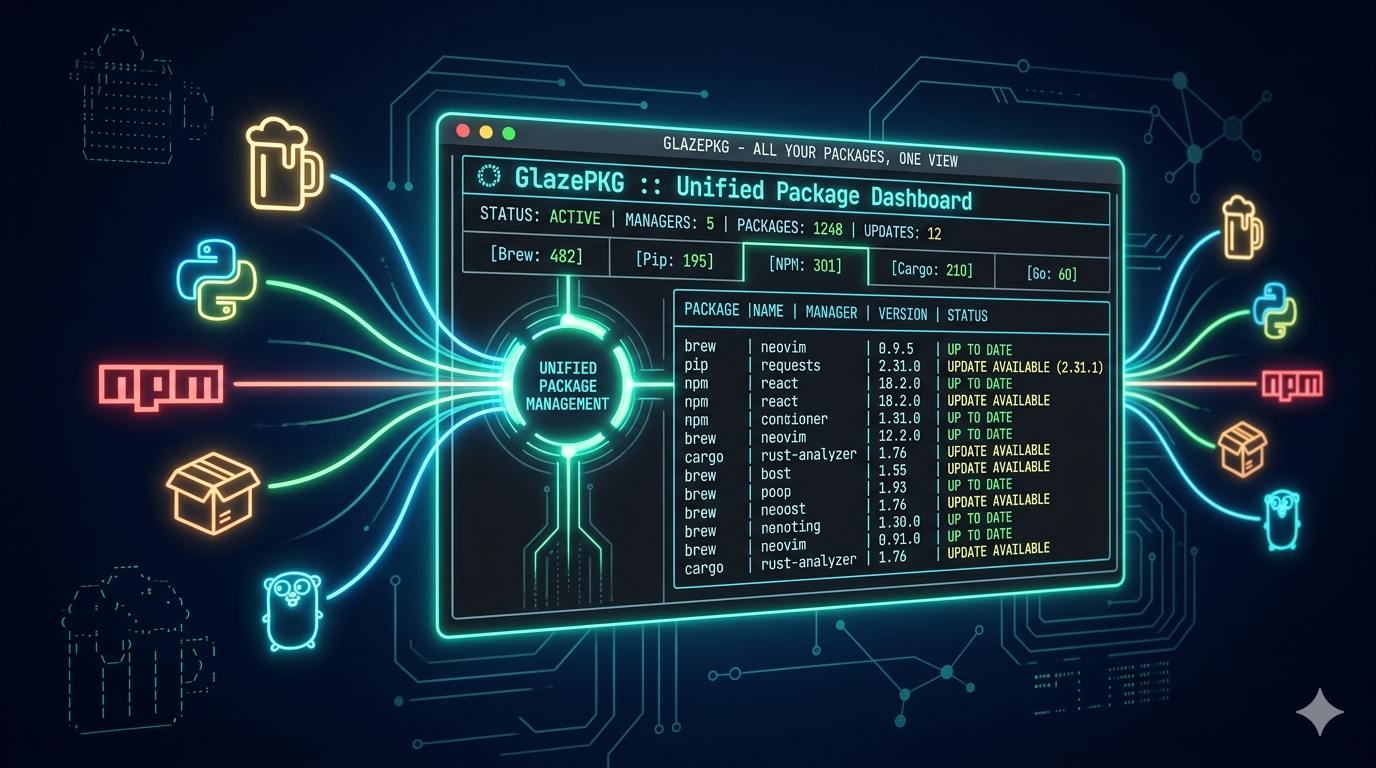
TLDR: How many packages are actually installed on your machine? brew, pip, cargo, npm, go — each package manager owns its own territory, and you're left checking them one by one. GlazePKG says: stop. One dashboard, all of them.
TL;DR
- GlazePKG (
gpk) is a Go-based terminal TUI that lets you browse, search, upgrade, and remove packages across 35 package managers from a single interface. - After the initial scan, results are cached for 10 days — subsequent launches take milliseconds. Zero configuration, single binary.
- Supports system snapshots and diff analysis, so you always know exactly what changed in your environment.
How Many Package Managers Do You Have?
If you develop on macOS, the answer is probably more than five.
Homebrew handles system tools. pip manages Python packages. npm covers frontend dependencies. cargo handles the Rust ecosystem. go manages Go modules. Add the Mac App Store, maybe conda — each with its own list, update, upgrade syntax. Each requiring you to separately remember how to ask: "What do I actually have installed?"
Most people's approach: don't ask. Until the disk fills up, then start investigating one manager at a time.
GlazePKG's approach is beautifully blunt — scan everything, display it on one screen, let you search anything with a single search bar.
Instant Launch: The Layered Cache
The first time you run gpk, it traverses every detected package manager on your system. This takes a few seconds to tens of seconds depending on your setup. But you only pay this cost once — for the next 10 days, launch time drops to milliseconds.
The caching strategy uses three tiers:
| Cache Type | Retention | Purpose |
|---|---|---|
| Scan cache | 10 days | Package lists |
| Description cache | 24 hours | Package descriptions |
| Update cache | 7 days | Available upgrades |
Notes and snapshots are stored permanently in ~/.local/share/glazepkg/.
The design insight is elegant: it compresses the expensive "full scan" into a one-time cost, and every subsequent interaction hits the cache. For a tool you'll mostly open to casually check what's installed, this trade-off is spot-on.
35 Package Managers — Not a Typo
The support list is worth spelling out, because it covers more ground than most people expect:
System-level: brew, apt, dnf, pacman, snap, flatpak, nix, winget, chocolatey, scoop, MacPorts...
Language-specific: pip, pipx, cargo, go, npm, pnpm, bun, gem, composer, maven, luarocks, nuget...
Environment managers: conda/mamba, mas (Mac App Store)
35 in total. Each manager is implemented as a single Go file in the codebase, making new additions straightforward — the contribution barrier is intentionally low.
Beyond Read-Only: Search, Upgrade, Batch Ops
gpk isn't just a dashboard for looking at things. It supports full package operations:
Fuzzy Search
Press / to enter search mode. Type a few characters and find your target across all managers. No need to remember whether you installed something with brew or pip.
Upgrade & Remove
Select a package, press u to upgrade or x to remove. Before execution, it shows the exact command that will run — no accidental uninstalls.
Batch Mode
Press m to enter multi-select, then batch-upgrade multiple packages at once. It automatically groups operations requiring sudo — you'll only be asked for your password once.
Install Search
Press i to search for packages you haven't installed yet. It queries all managers in parallel with automatic deduplication.
Snapshots & Diff: Version Control for Your Environment
This is arguably GlazePKG's most underrated feature.
Press s to save your current system state as a JSON snapshot — every package name, version, and source, timestamped. Next time, press d to diff against the previous snapshot: what was added, removed, or upgraded.
This is essentially git diff for your environment.
The use cases are clear:
- Debugging: "It worked yesterday, broken today" → diff the snapshots, see what changed.
- Migration: Export the snapshot as JSON, compare it on a new machine to see what's missing.
- Auditing: Team environment consistency checks.
Installation: Three Lines
# macOS/Linux (Homebrew)
brew install neur0map/tap/gpk

# Go
go install github.com/neur0map/glazepkg/cmd/gpk@latest

# Arch Linux
yay -S gpk-bin
Pre-built binaries are also available from GitHub Releases, supporting macOS (ARM/Intel), Linux, and Windows.
Single binary. No external dependencies. No configuration.
Keybind Reference
| Key | Action |
|---|---|
j/k or arrows |
Navigate up/down |
Tab / Shift+Tab |
Cycle manager tabs |
/ |
Fuzzy search |
Enter |
View package details |
u |
Upgrade package |
x |
Remove package |
i |
Search & install |
m |
Multi-select mode |
s |
Save snapshot |
d |
Diff against snapshot |
e |
Export JSON/text |
q |
Quit |
Technical Profile
- Language: 100% Go
- TUI Framework: Bubble Tea + Lip Gloss + Bubbles (Charm ecosystem)
- Architecture: Single static binary, cross-platform
- License: GPL-3.0
- Current Version: v0.3.17 (March 26, 2026)
- GitHub: neur0map/glazepkg (365 stars)
Conclusion: Less Is More
GlazePKG doesn't try to replace any package manager. It simply pulls scattered information into a single view.
This "unified browsing layer" philosophy is becoming increasingly common in developer tooling — don't reinvent the wheel, just make existing wheels easier to see, manage, and understand.
How many packages are really on your machine? Install gpk, press Enter, and the answer might surprise you.