You've probably noticed it. An hour into a complex conversation, your AI assistant starts making mistakes it shouldn't. Repeating itself. Forgetting decisions it made thirty minutes ago. Ignoring rules you thought you'd established. You wonder: did the model get worse?
It didn't. The whiteboard got full.
A Fixed-Size Board
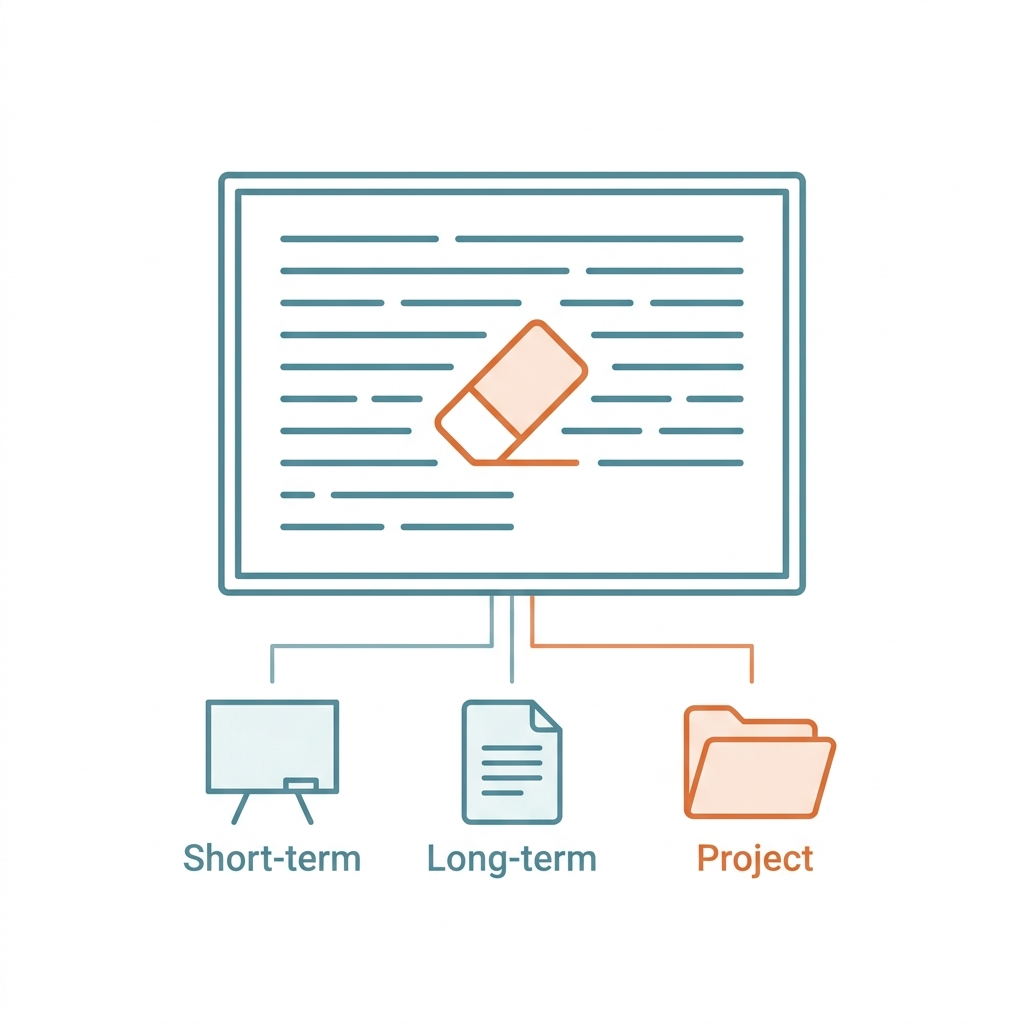
Picture a physical whiteboard in front of you. Every question you ask, every document you share, every instruction you give, every response the AI generates — all of it gets written on that board. When the board fills up, the oldest content gets erased to make room for the new.
This is what AI researchers call the context window: the total amount of information a large language model can hold in active memory at once. Unlike human memory, it doesn't grow with experience. It doesn't consolidate important things or quietly archive the rest. It's a fixed-size buffer, and when it's full, things fall off the edge.
The model isn't forgetting because it's tired or distracted. It's forgetting because it has no choice. What looks like degraded intelligence is almost always a memory management problem.
Three Layers, Three Solutions
Once you understand the constraint, the engineering response becomes obvious: don't try to stuff everything onto one whiteboard. Build external memory.
This is where the three-layer memory architecture comes in.
Short-term memory is the whiteboard itself — the current conversation context. Everything the model can "see" right now lives here. The smaller the window, the more frequently critical information disappears.
Long-term memory is knowledge written into external files or databases: your preferences, project rules, a glossary of specialized terms. Think of it as the wall of sticky notes and reference cards in your office. Every time a new session starts, the AI reads these files first, establishing a consistent foundation before you've typed a single word.
Project-level memory is the working state of a specific task — the translation draft you're halfway through, the analysis that's 60% complete, the codebase you're debugging. These artifacts need to persist beyond a single conversation without contaminating other projects. They live as files, not in the active context.
The difference between an AI power user and someone who constantly battles their tool is often simply this: the power user has built all three layers.
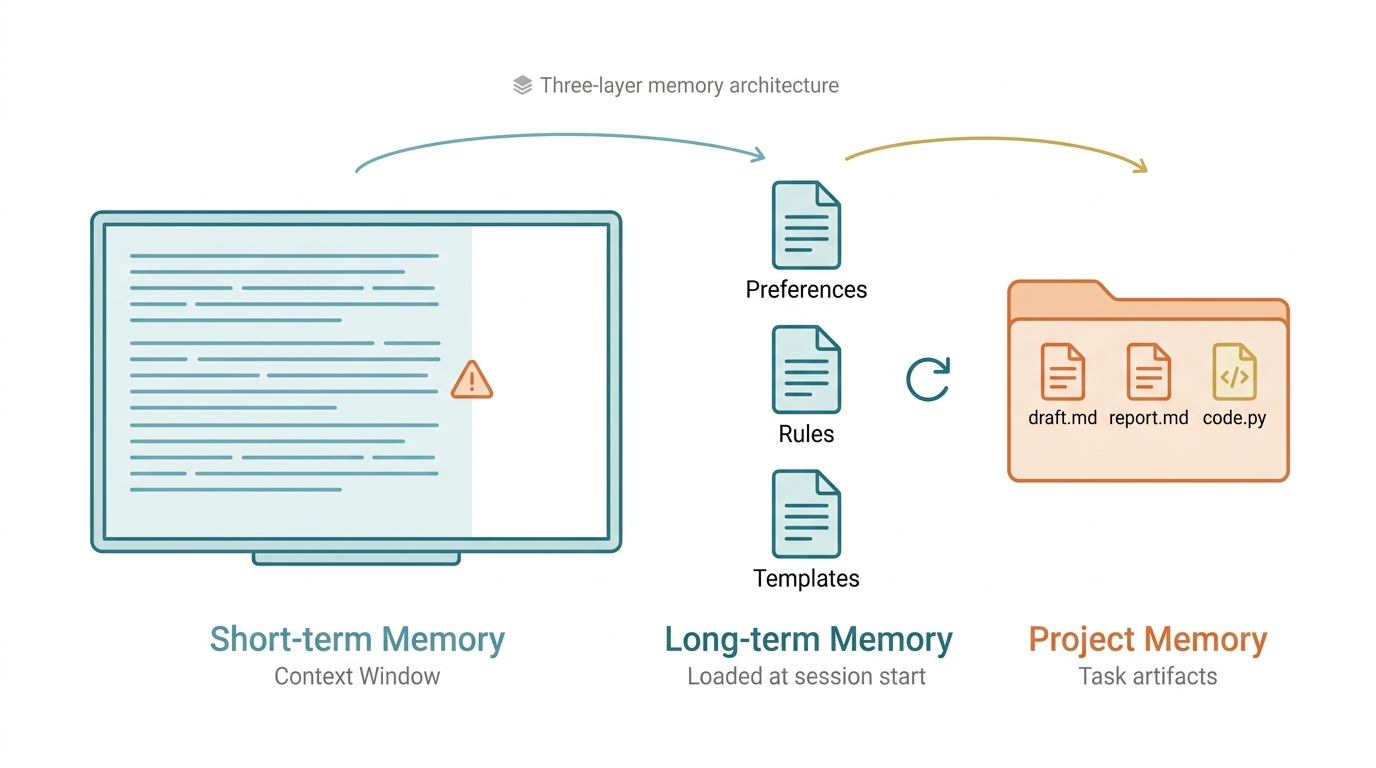 Figure 1: The three-layer AI memory architecture — Short-term (context window), Long-term (external files), and Project-level memory each serve a distinct role in maintaining consistent performance.
Three Practical Techniques
1. Reset the board on purpose. For any session longer than 30-45 minutes, pause and ask the AI to summarize: what have we done, what remains, what are the open decisions? Once you have that summary, start a fresh conversation and paste it in. A clean board with a precise summary outperforms a cluttered board with full history every time.
2. Delegate research to a sub-agent. When you need the AI to process large volumes of information — reading through documentation, analyzing multiple sources — don't do it on the main whiteboard. Spin up a separate AI instance (a "sub-agent") for that task and have it report back a condensed summary. Your primary session stays focused and spacious. Think of it less like doing the library research yourself, and more like sending a research assistant to do it for you.
3. Write rules into files, not into prompts. AI doesn't accumulate learning across conversations. But if you maintain files containing your preferences, style guidelines, recurring mistakes to avoid, and project-specific rules — and load those files at the start of each session — the AI effectively has persistent memory. Capture lessons learned. Record key decisions. Encode your standards. The AI won't remember, but the system will.
Memory Is the Actual Bottleneck
Most people blame AI performance problems on model quality. The model isn't smart enough, they say. They switch to a newer version. Sometimes that helps. Often it doesn't.
The same model operating inside a well-designed memory architecture will consistently outperform the same model used naively — not because it's more capable, but because it can actually retain what matters and discard what doesn't. Five to ten times better output isn't an exaggeration; it's a commonly reported result among practitioners who've made the architectural investment.
Next time your AI starts acting confused, before reaching for the "new model" button, ask a simpler question: is the whiteboard full?
Clean it. Reload the essentials. Watch it sharpen right back up.